
Lawn Care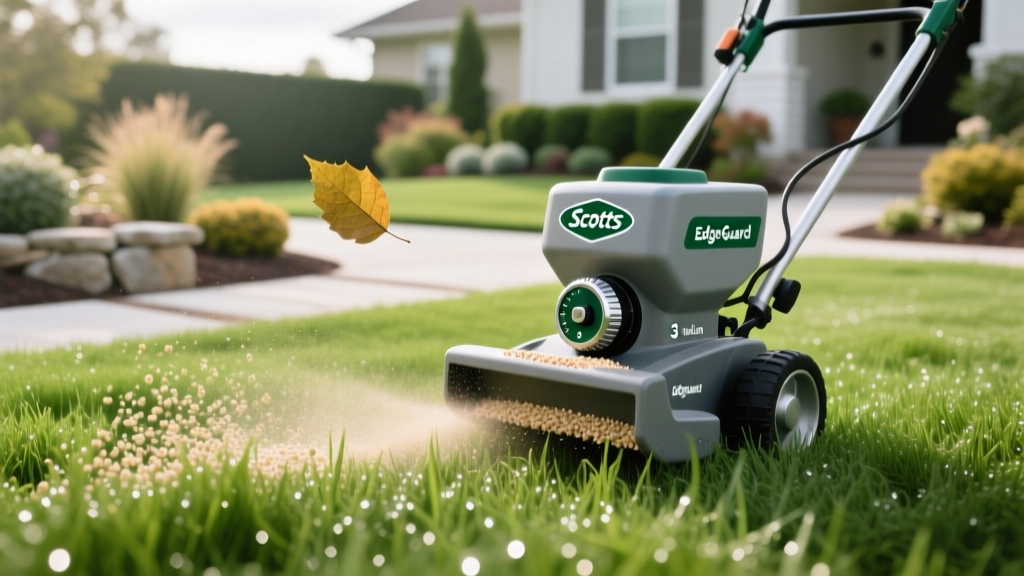
Scotts EdgeGuard Spreader Settings: Exact Dosage & Coverage Guide
The Asymmetrical Advantage: How EdgeGuard Alters Spread Patterns
Most broadcast spreaders distribute granular material in a symmetrical V-pattern, throwing product equally to the left and right. The Scotts EdgeGuard series fundamentally changes this geometry. By utilizing a physical baffle shield on the right side of the impeller, EdgeGuard spreaders create an asymmetrical spread pattern—heavily biased to the left while sharply cutting off material on the right. This prevents fertilizer and herbicides from staining hardscapes, driveways, and garden beds.
However, this asymmetrical pattern renders standard overlapping techniques obsolete. With a traditional spreader, you overlap passes by 20% to 30%. With an EdgeGuard model, you must align the right wheel of the spreader directly over the left wheel track of your previous pass. Failing to adjust your overlapping strategy to accommodate the EdgeGuard deflector is the primary cause of striping (alternating light and dark green bands) in residential lawns.
Master Dosage & Cost Matrix: Scotts EdgeGuard Settings
Spreader settings are not universal; they vary based on the physical size of the fertilizer prill and the specific model of your spreader. The EdgeGuard Mini (designed for lawns under 5,000 sq ft) features a smaller impeller and gearbox ratio than the Standard EdgeGuard (designed for lawns up to 15,000 sq ft). Below is the precise dosage matrix for the most common Scotts lawn care products, including real-world material costs per 1,000 square feet.
| Product | Target Rate (lbs/1k sq ft) | Mini Setting | Standard Setting | Bag Size & Est. Cost | Cost per 1k sq ft |
|---|---|---|---|---|---|
| Scotts Turf Builder Lawn Food | 2.50 | 5.5 | 5.0 | 12.5 lbs ($35.00) | $7.00 |
| Scotts Halts Crabgrass Preventer | 2.66 | 3.5 | 3.25 | 13.3 lbs ($32.00) | $6.02 |
| Scotts GrubEx Season-Long Control | 2.87 | 3.75 | 3.5 | 15.0 lbs ($28.00) | $5.33 |
| Scotts WinterGuard Fall Weed & Feed | 3.32 | 6.0 | 5.5 | 13.3 lbs ($38.00) | $8.55 |
| Scotts Moss & Algae Killer | 4.00 | 7.5 | 7.0 | 10.0 lbs ($22.00) | $8.80 |
Note: Granule sizing can shift slightly between manufacturing batches. Always verify the QR code on your specific bag for micro-adjustments, but the settings above represent the baseline calibration for current formulations.
Calculating True Coverage and Annual Program Costs
Understanding your cost-per-thousand-square-foot is critical for budgeting a seasonal lawn care program. For a standard 5,000-square-foot suburban lawn, a complete 4-step DIY Scotts program (Pre-emergent, Spring Feed, Summer Insect Control, and Winterizer) requires approximately $140 to $160 in raw materials. By contrast, hiring a national franchise like TruGreen or a local commercial applicator to perform the same 4-step synthetic program typically costs between $380 and $450 for the same footprint. The DIY EdgeGuard route yields a 60% to 65% cost savings, provided your dosage calibration is accurate enough to prevent product waste and turf burn.
The 100-Square-Foot Calibration Walk-Test
Relying solely on the manufacturer's dial setting is a risk. Your walking speed, the spreader's gear wear, and ambient humidity all affect output. The University of Minnesota Turfgrass Science program recommends a physical calibration test before applying expensive pre-emergents or weed-and-feed products. Follow this exact protocol to verify your EdgeGuard output:
- Mark the Test Zone: Use chalk to mark a 10-foot by 10-foot square (100 sq ft) on a clean, dry concrete driveway. Do not test on grass where you cannot easily recover un-dissolved granules.
- Calculate the Micro-Dose: Take the target application rate per 1,000 sq ft and divide by 10. For Scotts Turf Builder (2.5 lbs per 1,000 sq ft), you need exactly 0.25 lbs (4 ounces) of product for the 100 sq ft test zone.
- Weigh and Load: Use a digital kitchen scale to weigh out exactly 4 ounces of product. Pour it into the EdgeGuard hopper.
- Execute the Pass: Set your dial to the recommended setting (e.g., 5.5 for the Mini). Walk through the 10x10 zone at your normal, comfortable application pace (ideally 2.75 to 3.0 mph).
- Measure the Remainder: Pour any leftover granules back onto the scale. If you have exactly 0 ounces left, your spreader is perfectly calibrated. If you have 1 ounce left, you are under-applying; open the dial by half a setting. If the hopper emptied before you finished the 100 sq ft, you are over-applying; close the dial by half a setting.
Calibration Warning: The EPA's guidelines on pesticide application equipment emphasize that walking speed is the most volatile variable in granular application. If you naturally walk at 3.5 mph, you will consistently under-apply product unless you increase your dial setting by 0.5 to 1.0 full notches to compensate for the reduced impeller engagement time per square foot.
Environmental Variables That Alter Dosage
Even with a perfectly calibrated EdgeGuard spreader, environmental factors can hijack your application rate. Understanding these variables prevents localized turf burn and wasted material.
Hygroscopic Clumping in High Humidity
Products containing high nitrogen loads or specific pre-emergent active ingredients (like the pendimethalin in Halts) are highly hygroscopic, meaning they absorb moisture from the air. On mornings with humidity above 75%, granules can fuse together inside the hopper. This creates "bridging," where the material stops flowing into the impeller, resulting in zero application despite the dial being open. The Fix: Never store open bags in a damp garage. If applying in high humidity, add a quarter-cup of clean, dry play sand to the hopper and mix it with the fertilizer to act as a desiccant and keep the prills separated.
Wheel Slip on Wet Turf
The EdgeGuard impeller is driven by a gear connected to the left wheel. If the grass is wet from morning dew, the plastic wheel tread can slip on the turf rather than gripping it. This wheel slip reduces the RPM of the impeller, causing the granules to drop in a heavy, concentrated pile directly beneath the spreader rather than broadcasting outward. The Fix: Delay application until the dew has burned off, or wrap the drive wheel in a layer of textured grip tape to increase traction on wet grass blades.
Troubleshooting Common EdgeGuard Application Errors
- Severe Striping (Alternating Green/Yellow Bands): This is almost always an overlapping error specific to the EdgeGuard deflector. You are overlapping too much or too little. Remember: align the right wheel directly on top of the left wheel track from the previous pass.
- Burned Edges Along Driveways: The EdgeGuard deflector shield only works when the spreader is moving forward. If you stop walking while the hopper is open, the impeller continues to spin, bouncing concentrated granules off the deflector and onto the concrete. Always engage the hopper lever only while in motion, and release it two steps before you stop.
- Product Piling at the Start/Stop Points: This is known as "headland accumulation." To prevent burning the turf at the ends of your lawn, walk 5 feet past the property boundary before opening the hopper, and close the hopper 5 feet before reaching the opposite boundary.
Long-Term Maintenance for Precision Gearing
The internal gearbox of the EdgeGuard is sealed but not invincible. Over time, fertilizer dust infiltrates the axle housing, creating an abrasive paste that wears down the plastic drive gears. This wear causes the impeller to spin slower than the dial setting dictates, leading to chronic under-application. After every use, blow out the hopper and axle housing with a leaf blower or compressed air. Once per season, apply a dry PTFE (Teflon) lubricant spray to the axle and impeller bearings. Avoid wet silicone sprays or WD-40, as these attract moisture and fertilizer dust, accelerating gear degradation.