
Lawn Care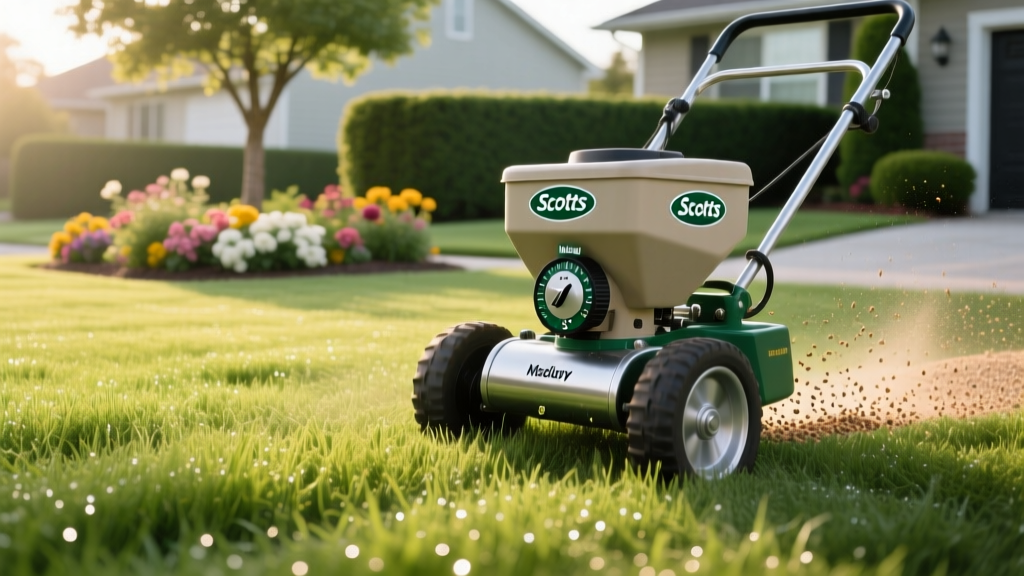
Scotts Rotary Spreader Settings: Coverage, Dosage & Cost Guide
The Financial and Agronomic Cost of Guessing Your Dial Setting
Dialing in the correct Scotts rotary spreader settings is not just about following the bag's recommendation; it is a precise calibration exercise that directly impacts your lawn's health and your annual maintenance budget. A single notch difference on a rotary (broadcast) spreader can alter the application rate by 15% to 25%. Over-application leads to nitrogen burn, excessive thatch buildup, and wasted capital, while under-application results in patchy weed control and thin turf.
This guide moves beyond the basic charts printed on fertilizer bags. We break down the mechanical differences between Scotts rotary models, provide a baseline settings matrix, and detail the exact mathematical framework to calibrate your spreader for true edge-to-edge coverage.
Scotts Rotary Spreader Models: Specs and Coverage Limits
Before setting the dial, you must identify your exact spreader model. The internal agitator design and impeller speed vary between models, meaning a 'Setting 4' on a classic model will not output the same volume as a 'Setting 4' on an EdgeGuard model.
| Spreader Model | Model Number | Hopper Capacity | Avg. Retail Cost | Best Use Case |
|---|---|---|---|---|
| Scotts EdgeGuard Broadcast | 76121 / 76121A | Up to 5,000 sq ft (fertilizer) | $115 - $130 | Standard suburban lawns near hardscapes |
| Scotts Elite Broadcast | 76124 | Up to 15,000 sq ft | $140 - $160 | Large properties, rural acreage |
| Scotts Classic Broadcast | 76123 | Up to 5,000 sq ft | $85 - $100 | Open lawns without adjacent garden beds |
Understanding EdgeGuard Technology
The EdgeGuard models feature a mechanical deflector shield on the right side of the impeller. When engaged, it blocks granules from throwing onto driveways and landscape beds. Critical Note: Engaging the EdgeGuard deflector slightly alters the throw pattern. If you are calibrating for a standard open lawn, ensure the deflector is disengaged during your test to get a true baseline application rate.
Baseline Scotts Rotary Spreader Settings Matrix
While you must always defer to the specific product label for legal and agronomic compliance, the following matrix represents the standard baseline settings for the most common Scotts lawn care products when using the Scotts EdgeGuard Broadcast Spreader. These settings are engineered to achieve the target application rate over a 1,000-square-foot area assuming a standard walking speed of 3.0 miles per hour.
- Scotts Turf Builder Lawn Food (Standard): Dial Setting 3.5
- Scotts Turf Builder WinterGuard: Dial Setting 3.5
- Scotts Weed & Feed (Crabgrass Preventer): Dial Setting 4.0
- Scotts Halts Crabgrass Preventer: Dial Setting 3.0
- Scotts Tall Fescue Grass Seed: Dial Setting 5.5
- Scotts Bermudagrass Seed: Dial Setting 4.5
According to turfgrass specialists at Penn State Extension, relying solely on manufacturer dial settings is risky because granule size, density, and humidity can change the flow rate. This is why physical calibration is mandatory for professional-grade results.
Step-by-Step Calibration: The 100 Sq. Ft. Test Method
To guarantee your Scotts rotary spreader settings are delivering the exact dosage required, perform this 100-square-foot calibration test. This method is endorsed by university agricultural extensions nationwide.
- Measure a Test Zone: Mark off a 10 ft by 10 ft area (100 sq. ft.) on your driveway or a tarp. Do not test on bare soil, as you cannot recover the granules.
- Calculate Target Weight: Check the bag for the application rate per 1,000 sq. ft. If the bag calls for 3.5 lbs per 1,000 sq. ft., your target weight for 100 sq. ft. is 0.35 lbs (or 5.6 ounces).
- Load and Weigh: Pour enough product into the spreader to cover the test area. Weigh the entire spreader on a scale, or weigh just the product in a cup before pouring it into the hopper.
- Execute the Pass: Walk at your normal, steady pace over the 10x10 area with the spreader engaged.
- Collect and Re-weigh: Sweep up all the granules from the tarp/driveway and weigh them. Alternatively, weigh the remaining product in the hopper to see exactly how much was dispensed.
- Adjust the Dial: If you dispensed 6.5 ounces instead of 5.6 ounces, you are over-applying by 16%. Close the dial by half a notch and repeat the test until the dispensed weight matches your target.
Coverage Math and Cost Analysis: The Price of Miscalibration
Why go through the trouble of weighing granules? Because miscalibrated Scotts rotary spreader settings silently drain your wallet. Let us look at the real-world math using a standard bag of Scotts Turf Builder WinterGuard Fall Lawn Food.
Cost Impact Scenario
Product: 12.5 lb bag covering 5,000 sq. ft.
Retail Price: ~$34.00
Ideal Cost per 1,000 sq. ft.: $6.80
If your spreader dial is set one notch too high (a common error when users guess the setting), you might apply the 5,000 sq. ft. bag over just 4,100 sq. ft. of actual lawn.
Miscalibrated Cost per 1,000 sq. ft.: $8.29
Financial Waste: You lose $1.49 per 1,000 sq. ft. On a 10,000 sq. ft. property, you are throwing away $14.90 per application. Over a four-application annual program, that is nearly $60 lost to a poorly adjusted dial—excluding the cost of treating the resulting fertilizer burn.
Furthermore, over-applying pre-emergent herbicides like Scotts Halts does not yield better weed control; it simply increases the chemical load in your soil and risks stunting the root development of your existing turf. The UMass Amherst Center for Agriculture, Food and the Environment emphasizes that precise calibration is the primary defense against both environmental runoff and turf toxicity.
Common Spreader Failure Modes and Troubleshooting
Even with perfect Scotts rotary spreader settings, mechanical failures can ruin your application pattern. Inspect these three components before every season:
- The Agitator Bar: Inside the hopper, a small metal or plastic wire spins to break up granules. If this rusts or snaps off, fertilizer will clump and bridge over the drop hole, causing you to push the spreader while zero product is falling. Replace the agitator assembly (Part #1111002) if it shows heavy corrosion.
- The Control Cable and Spring: The metal rod connecting the handle lever to the hopper gate often stretches or bends over time. If the gate does not open fully when you squeeze the handle, your effective setting will be lower than the dial indicates. Adjust the tension nut at the handle base to ensure a full 100% gate opening.
- Impeller Fouling: The spinning fan under the hopper throws the granules. If you store the spreader without washing it, hardened fertilizer crusts on the impeller fins. This creates an unbalanced spin, throwing granules heavily to the left and lightly to the right, resulting in visible striping on your lawn.
Pro Tip for Wet Climates: If you live in a high-humidity region, granular weed-and-feed products can absorb moisture from the air while sitting in the hopper, altering their weight and flow rate. Only load the exact amount of product you need for your immediate mowing path, and empty the hopper completely if you take a break longer than 15 minutes.
Expert FAQs on Dial Settings and Coverage
Do I need to change my spreader setting when applying grass seed vs. fertilizer?
Yes. Grass seed is significantly lighter and less dense than coated fertilizer granules. A setting of 3.5 might be perfect for Turf Builder, but applying Kentucky Bluegrass seed at that same setting will result in massive over-seeding. Seed typically requires a wider dial opening (e.g., 5.0 to 6.0) to achieve the proper 2 to 4 lbs per 1,000 sq. ft. rate.
Why does my lawn have dark green and light green stripes after fertilizing?
Striping is almost always a result of improper overlap rather than incorrect dial settings. Rotary spreaders have a bell-shaped throw pattern—heavy in the center, light on the edges. You must align the edge of your current pass with the wheel tracks of your previous pass. If you overlap by 50%, you will double-apply in the center and starve the edges.
Can I use Scotts rotary spreader settings for non-Scotts brand products?
No. The dial settings are calibrated specifically for the physical dimensions, density, and prill size of Scotts-manufactured granules. A generic or professional-grade fertilizer (like Lesco or Andersons) will have a different particle size and require its own unique calibration test. Never assume a competitor's product will flow at the same rate through a Scotts impeller.