Lawn Care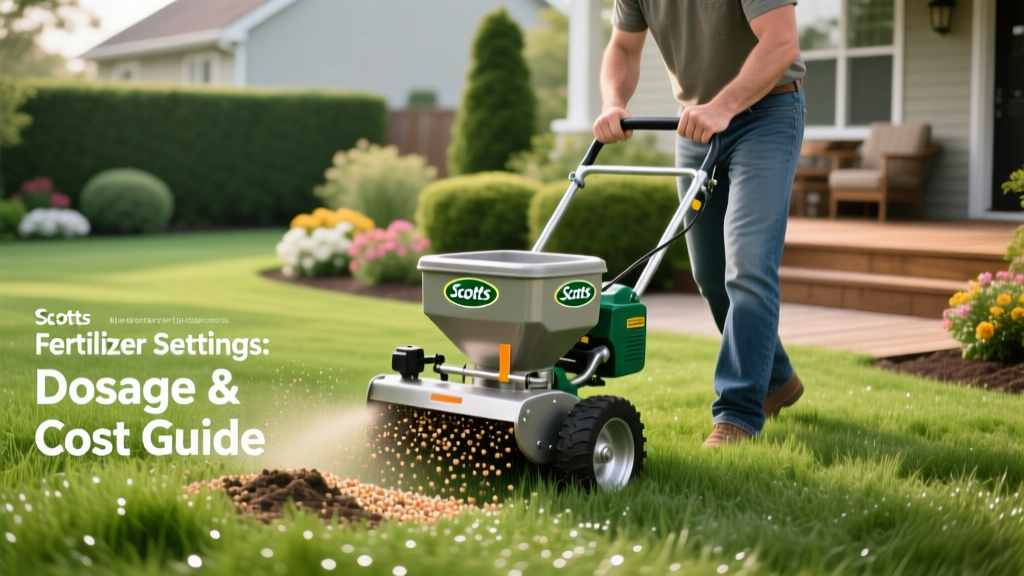
Scotts Fertilizer Spreader Settings: Dosage & Cost Guide
Applying the wrong amount of nitrogen to your lawn doesn't just stunt growth—it actively destroys turf and wastes money. When homeowners search for scott fertilizer spreader settings, they are usually looking for the precise dial positions to avoid the dual threats of fertilizer burn and under-nourishment. However, matching the dial to the bag is only the first step. True lawn health requires understanding how spreader mechanics, product density, and walking speed intersect to dictate your actual dosage per 1,000 square feet.
This guide provides the exact settings for current Scotts spreader models, a framework for calibrating off-brand products, and a hard financial breakdown of what incorrect application actually costs your landscape budget.
The Hidden Costs of Incorrect Spreader Calibration
Fertilizer prices have fluctuated significantly over the last few years, making precise application a financial necessity. A standard 14,000-square-foot bag of Scotts Turf Builder Lawn Food (32-0-4) retails for approximately $35.00 in 2026. If your spreader dial is set one notch too high, you risk applying 1.2 to 1.5 pounds of nitrogen per 1,000 square feet instead of the recommended 0.9 pounds.
Financial Impact of Over-Application:
- Material Waste: Over-applying by 20% reduces your coverage from 14,000 to 11,600 sq ft, forcing you to buy an extra bag mid-season ($35 loss).
- Remediation Costs: Severe nitrogen burn on a 1,000 sq ft section requires raking, topsoil, and reseeding or sodding. Replacing burned sod costs between $120 and $180 per 1,000 sq ft.
- Environmental Fines: Excess phosphorus and nitrogen runoff into municipal storm drains violates local EPA nutrient management guidelines, which carry strict penalties in regulated watersheds.
Scotts Spreader Models & Hopper Capacities
Before adjusting the dial, you must identify your exact spreader model. The gear ratios and aperture sizes differ drastically between broadcast (rotary) and drop spreaders, meaning a setting of '5' on one model will not deliver the same volume as a '5' on another.
| Spreader Model | Type | Hopper Capacity | Max Coverage | Best Use Case |
|---|---|---|---|---|
| EdgeGuard Mini | Broadcast | 5,000 sq ft | 5,000 sq ft | Urban lawns, tight spaces |
| EdgeGuard Max | Broadcast | 15,000 sq ft | 15,000 sq ft | Standard suburban yards |
| AccuGreen 3000 | Drop | 10,000 sq ft | 10,000 sq ft | Precision edging, narrow strips |
| Classic Drop | Drop | 5,000 sq ft | 5,000 sq ft | Small patches, spot treatments |
Master Chart: Exact Scotts Fertilizer Spreader Settings
The following settings are calibrated for a standard walking speed of 3.0 miles per hour (roughly 135 feet per minute). If you walk faster, you will under-apply; if you walk slower, you will over-apply. These settings align with the official Scotts spreader settings guide for their most popular 2026 product lineup.
| Product (N-P-K) | EdgeGuard Mini | EdgeGuard Max | AccuGreen 3000 (Drop) | Classic Drop |
|---|---|---|---|---|
| Turf Builder Lawn Food (32-0-4) | 5.5 | 5.5 | 7.0 | 7.5 |
| Weed & Feed (28-0-3) | 6.0 | 6.0 | 7.5 | 8.0 |
| Starter Food for New Grass (24-25-4) | 4.5 | 4.5 | 6.0 | 6.5 |
| Winterguard Fall Lawn Food (32-0-10) | 5.5 | 5.5 | 7.0 | 7.5 |
| Summerguard Lawn Food (26-0-2) | 5.0 | 5.0 | 6.5 | 7.0 |
Calibrating for Off-Brand and Professional-Grade Fertilizers
Professional landscapers rarely use consumer-grade bagged fertilizer. If you are applying professional products like Lesco Pre-Emergent or Andersons 0.48% Barricade, the Scotts dial settings will not be on the bag. You must calibrate the spreader manually using the 1/1000th acre method recommended by University of Minnesota Extension turf specialists.
- Measure a Test Area: Mark off a 1,000 square foot section of your driveway or a concrete pad (10 ft x 100 ft, or 20 ft x 50 ft). Never calibrate on the grass, as you cannot easily recover the granules.
- Weigh the Product: Weigh an empty bucket on a digital scale. Add exactly 2.5 pounds of your off-brand granular product to the bucket (this assumes a target application rate of 2.5 lbs per 1,000 sq ft).
- Set a Baseline Dial: Set your EdgeGuard Max to a middle setting (e.g., 6.0).
- Execute the Pass: Walk the 100-foot length at your normal pace with the spreader engaged over the test area. Catch the remaining product in a tarp or bucket at the end of the pass.
- Calculate the Variance: Weigh the leftover product. If you started with 2.5 lbs and have 0.5 lbs left, you applied 2.0 lbs. Your setting is too low. Increase the dial by 0.5 increments and repeat until exactly 2.5 lbs is dispersed over the 1,000 sq ft area.
Pro Tip: The Granule Size Factor
Professional-grade fertilizers often feature smaller, more uniform SGN (Size Guide Number) granules compared to consumer products. A smaller SGN means the granules flow through the spreader aperture faster. If switching from Scotts Turf Builder to a Lesco professional product, start your calibration 1 to 1.5 dial settings lower than you normally would to prevent severe over-application.
Professional-grade fertilizers often feature smaller, more uniform SGN (Size Guide Number) granules compared to consumer products. A smaller SGN means the granules flow through the spreader aperture faster. If switching from Scotts Turf Builder to a Lesco professional product, start your calibration 1 to 1.5 dial settings lower than you normally would to prevent severe over-application.
Dosage Math and Material Cost Analysis
Understanding the cost per 1,000 square feet allows you to budget accurately and compare consumer products against professional alternatives.
Consumer vs. Professional Cost Breakdown
- Scotts Turf Builder (Consumer): A 36.8 lb bag covers 14,000 sq ft and costs $35.00.
Cost per 1,000 sq ft: $2.50 - Andersons 24-5-11 (Professional): A 50 lb bag covers 12,500 sq ft (at 4 lbs/1k sq ft) and costs $48.00 via landscape suppliers.
Cost per 1,000 sq ft: $3.84
While the professional product costs more upfront per square foot, it contains higher-quality, polymer-coated slow-release nitrogen that feeds for 12 weeks instead of 8. This reduces the total number of annual applications from five to four, ultimately lowering the seasonal cost and reducing soil salt buildup.
Troubleshooting Visual Application Failures
Your lawn will visually communicate if your spreader settings or technique are flawed. Use this diagnostic matrix to correct issues before they cause permanent turf death.
- Symptom: Alternating dark green and light green stripes across the lawn.
Cause: Inconsistent overlap with a broadcast spreader, or walking too fast/slow on alternating passes.
Fix: Align the edge of the EdgeGuard spreader's throw pattern with the tire tracks of your previous pass. Maintain a strict 3.0 MPH walking pace. - Symptom: Crisp, straight lines of dead, brown grass.
Cause: Spreader aperture left open while turning or stopping, or overlapping drop spreader passes by more than 2 inches.
Fix: Always engage the spreader lever while in motion. For drop spreaders, overlap exactly one wheel width (approx. 2 inches) to prevent double-dosing the edges of the drop zone. - Symptom: Weeds thriving near driveways and sidewalks, but grass is healthy in the center of the yard.
Cause: EdgeGuard feature is engaged too aggressively, or the deflector shield is angled away from hardscapes, leaving a 12-inch gap of untreated soil.
Fix: When applying pre-emergent or Weed & Feed near borders, temporarily disengage the EdgeGuard shield for the perimeter pass, but walk exactly 6 inches inside the grass line to keep granules off the concrete.
Frequently Asked Questions
Do I need to change my spreader setting if the grass is wet?
No. The mechanical aperture of the spreader does not change based on moisture. However, applying fertilizer to wet grass causes granules to stick to the grass blades rather than reaching the soil, which causes foliar burn. Always apply to dry grass and water immediately after.
Why does my spreader dial go up to 15, but the bag only recommends 5.5?
The higher settings (10-15) are reserved for large, coarse materials like grass seed, ice melt, or heavy pelletized lime. Fine granular fertilizers require much smaller apertures to deliver the correct dosage per square foot.