Home & Garden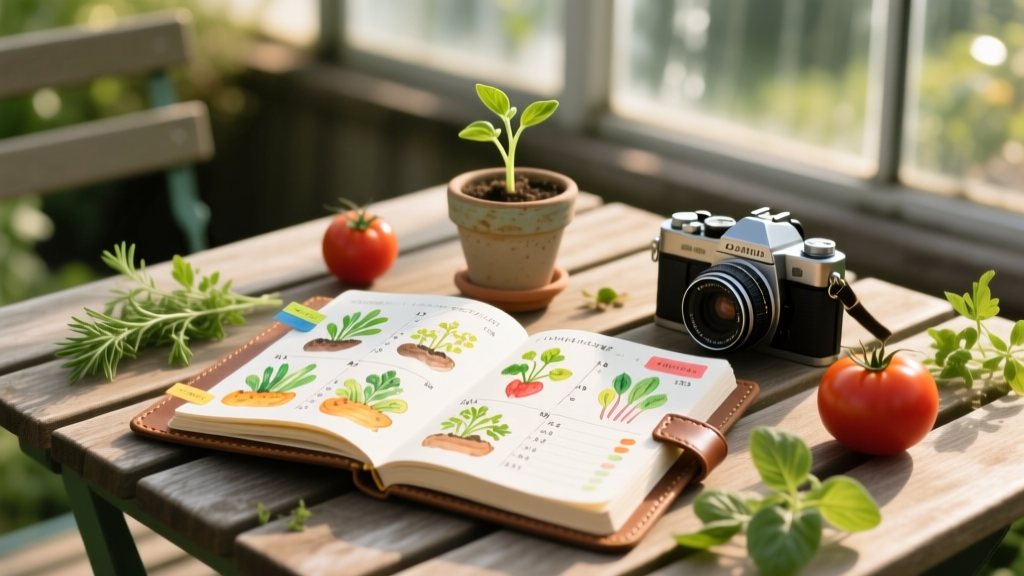
Visual Garden Journal 2026: Planting Calendars & Harvest Logs
Mike RodriguezPublished
The Evolution of Garden Documentation in 2026
As we navigate the 2026 growing season, the intersection of horticulture and digital photography has completely transformed how home gardeners track their progress. Gone are the days of relying solely on muddy notebooks and vague text descriptions. Today, a visual garden journal leverages high-resolution smartphone macro photography, cloud-synced planting calendars, and data-rich harvest logs to create a comprehensive, living archive of your outdoor space. Whether you are cultivating a small urban patio garden or managing a sprawling backyard homestead, photo-based documentation provides undeniable proof of what works, what fails, and how your soil health evolves over time.
Creating a visual garden journal is not merely about taking pretty pictures for social media; it is a rigorous documentation technique that bridges the gap between artistic observation and scientific data collection. By pairing standardized photographic methods with a structured planting calendar and harvest log, you can track germination rates, monitor pest life cycles, and calculate the exact return on investment for your heirloom tomato seeds. In this guide, we will explore the essential techniques for building a robust, photo-driven garden journal tailored for the modern 2026 gardener.
Essential Gear for Photo-Based Garden Journaling
To build a reliable visual archive, you need consistent, high-quality imagery. The 2026 flagship smartphones are equipped with incredible computational photography and LiDAR scanning capabilities, making them the perfect primary tools for garden documentation. However, relying on the phone alone is not enough. You must standardize your environment to ensure your photos are scientifically useful for comparison month over month.
- Macro Lens Attachment: While built-in macro modes are excellent, a dedicated clip-on macro lens (such as the Moment Macro Pro or ShiftCam ProLens) allows you to capture the intricate details of pest damage, fungal spores, and pollinator activity without digital distortion.
- Color Checker Passport: Lighting in the garden changes drastically from the golden hour to harsh midday sun. Keeping a small color checker card in your frame ensures you can accurately white-balance your images later, which is critical when documenting subtle leaf discoloration or nutrient deficiencies.
- Standardized Grid Mat: For your harvest log, a 12x12 inch black-and-white checkerboard mat provides an instant visual reference for scale. When you place your harvested vegetables on this mat, you can visually estimate size and volume without needing to read a physical ruler in the frame.
- Portable Diffuser: A simple 12-inch collapsible diffuser helps eliminate harsh shadows when photographing delicate seedlings or documenting soil texture, ensuring that the details remain crisp and evenly lit.
Designing Your Visual Planting Calendar
A traditional planting calendar tells you when to sow seeds based on regional frost dates. A visual planting calendar integrates these dates with photographic milestones, creating a multi-layered timeline of your garden's development. To start, you must anchor your calendar to your specific microclimate. The USDA Plant Hardiness Zone Map remains the gold standard for understanding your baseline climate zone, but local topography can shift your actual frost dates by several weeks.
Once you have established your frost dates using resources like the Old Farmer's Almanac Planting Calendar, you can begin mapping out your visual milestones. Instead of just writing 'Sow Peppers Indoors - March 15', your digital journal should include a photo of the seed tray setup, the specific soil mix used, and the lighting array. When the seeds germinate, you add a timestamped macro photo of the cotyledons emerging. By the time you transplant them outdoors, your calendar entry features a visual progression from seed to hardened-off seedling.
This visual timeline is invaluable for troubleshooting. If your pepper plants suffer from transplant shock in late May, you can scroll back through your visual calendar to check if the hardening-off process was adequately documented and executed, or if the root systems looked bound in their nursery pots prior to planting.
Structuring the Photographic Harvest Log
The harvest log is where the financial and nutritional ROI of your garden becomes apparent. In 2026, smart gardeners are moving beyond simple weight measurements and are integrating visual yield tracking. A photographic harvest log requires a standardized 'capture station'—a dedicated table in your garage or potting shed with consistent, diffused overhead lighting and your aforementioned grid mat.
Every time you harvest, follow this strict documentation protocol:
- The Wide Shot: Capture the entire harvest basket on the grid mat to document total volume.
- The Specimen Shot: Isolate the largest or most unusual specimen (e.g., a perfectly shaped heirloom carrot or a strangely mutated bell pepper) and photograph it next to a standard reference object, like a specific gardening trowel or a color checker card.
- The Data Overlay: Using your journaling app, immediately overlay the weight, the specific bed it was harvested from, and the days-to-maturity (DTM) compared to the seed packet's promise.
By maintaining this visual harvest log, you can easily identify which varieties produce the most visually appealing and structurally sound crops. When planning for the 2027 season, you will have undeniable photographic proof of which tomato variety resisted cracking during heavy summer rains and which squash produced the most uniform, marketable fruits.
2026 Garden Journaling Methods Compared
Choosing the right platform to host your visual journal is critical. The ideal system must seamlessly blend high-resolution image hosting with robust calendar and database features. Below is a comparison of the top documentation methods available to home gardeners this year.
| Method | Photo Integration | Calendar Sync | Harvest Tracking | Est. Annual Cost |
|---|---|---|---|---|
| Dedicated App (e.g., Gardenize Pro) | Excellent (Cloud-synced, AI tagging) | Automated frost alerts & sowing reminders | Built-in weight & ROI calculators | $35 - $50 |
| Tablet + Stylus (e.g., GoodNotes 6) | High (Manual placement, drawing annotations) | Manual entry, highly customizable layouts | Custom tables, visual graphing | $15 (App license) |
| Cloud Database (e.g., Notion / Airtable) | Good (Gallery views, metadata tagging) | Calendar view with relational databases | Advanced filtering, yield per sq/ft formulas | Free - $20 |
| Physical Journal + Scanner | Low (Requires printing or scanning pages) | Static, pre-printed calendars | Manual sketching and writing | $40 (Book + Ink) |
For the serious visual documentarian in 2026, a hybrid approach often works best: using a dedicated app like Gardenize or Planter for daily quick-capture and calendar reminders, while maintaining a master Notion database for deep-dive harvest analytics and long-term soil health photography.
Best Practices for Horticultural Photography
To ensure your garden journal serves as a reliable scientific record, your photography must adhere to a few fundamental rules. The National Gardening Association frequently emphasizes that consistent observation is the key to integrated pest management (IPM). Your camera is your primary IPM tool.
Lighting and Time of Day
Never document plant health issues in direct, harsh midday sunlight. The high contrast will blow out the highlights on glossy leaves and hide the subtle yellowing of chlorosis. The best time for garden documentation is on a bright, overcast day, which acts as a natural softbox, or during the early morning golden hour. If you must document a pest infestation at noon, use your portable diffuser to soften the light and reveal the true color of the damaged foliage.
Angles and Context
Always provide context. A macro shot of a mysterious brown spot on a leaf is useless if you do not also include a wide shot showing where the plant is located in the garden bed, its proximity to other plants, and the overall soil moisture level. Adopt the 'Rule of Three' for documentation: one wide shot for environment, one medium shot for the specific plant, and one macro shot for the detail, disease, or pest.
Tracking Soil and Root Health
Do not limit your photography to the canopy. Document your soil preparation process. Take photos of your compost layers, the texture of your amended raised beds, and the root structures of cover crops before you turn them into the earth. When you pull up a plant at the end of the season, photograph the root ball. A visual record of root knot nematodes or healthy mycorrhizal fungal networks is one of the most valuable assets you can add to your 2026 garden journal.
End-of-Season Visual Review
The true power of a photo-based garden journal is realized during the dormant season. In late autumn, export your visual harvest logs and planting calendars into a single digital gallery. Scrolling through the chronological progression of your garden from the bare, frost-heaved soil of early spring to the chaotic, abundant jungle of late summer provides profound insights that text alone cannot convey. You will visually recognize spatial planning errors, such as sunflowers shading out your pepper plants, or the rapid spread of powdery mildew in a poorly ventilated corner of your raised beds. By committing to visual documentation in 2026, you are not just recording history; you are actively engineering a more beautiful, productive, and resilient garden for the future.
