Home & Garden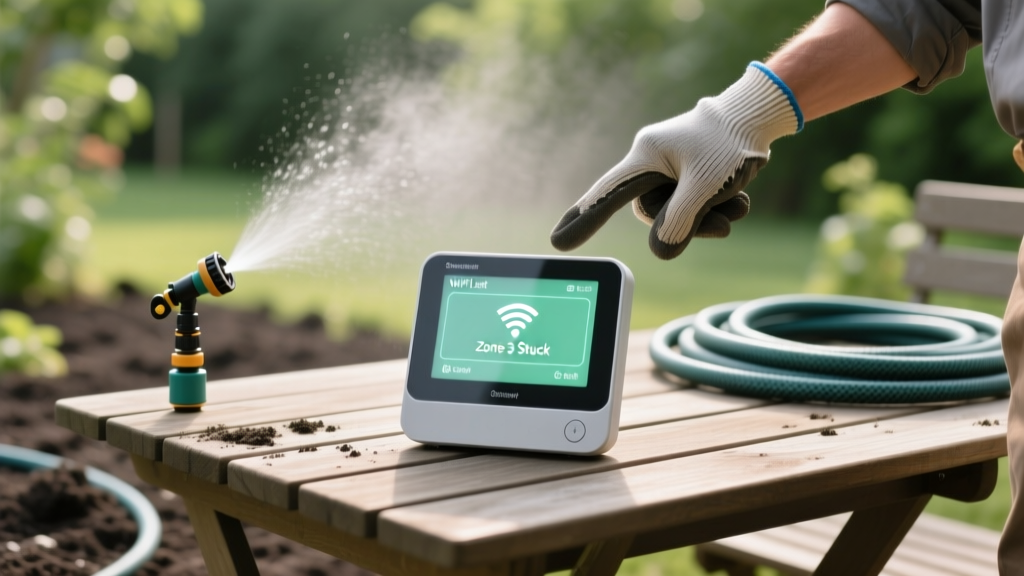
Diagnosing and Fixing Smart Irrigation System Errors
David ParkPublished
Introduction to Smart Irrigation Diagnostics
Upgrading to a smart irrigation controller like the Rachio 3, Orbit B-hyve, or Rain Bird ST8I-2.0 is one of the most effective ways to bridge smart home technology with energy-efficient landscaping. These devices promise to reduce outdoor water use by leveraging hyper-local weather data and soil moisture tracking. However, when these systems encounter connectivity drops, stuck zone valves, or sensor inaccuracies, your lawn can quickly suffer from underwatering or your water bill can spike from uncontrolled overwatering.
According to the EPA's WaterSense program, weather-based smart irrigation controllers can save the average home nearly 7,600 gallons of water annually. But these savings are entirely dependent on the system functioning correctly. Furthermore, the University of Florida IFAS Extension emphasizes that proper sensor placement and routine valve maintenance are critical to realizing these water-saving benefits. In this guide, we will diagnose the most common smart irrigation errors and provide actionable, step-by-step solutions to get your system back online and operating efficiently.
Problem 1: Wi-Fi Connectivity and Offline Errors
The most frequent complaint among smart irrigation users is the controller repeatedly showing as 'Offline' in the companion app. When a controller loses its connection, it defaults to a basic offline schedule, completely ignoring the weather-skip features that save water and protect your garden-to-table raised beds from being flooded during rainstorms.
Diagnosis: Band Steering and Signal Degradation
Almost all smart irrigation controllers operate exclusively on the 2.4GHz Wi-Fi band because it offers better range and penetration through exterior walls and stucco than the 5GHz band. The problem arises when modern mesh routers use 'band steering,' which combines both 2.4GHz and 5GHz networks under a single network name (SSID). The irrigation controller's internal antenna often becomes confused by the dual-band signal, resulting in dropped packets and offline errors.
Additionally, outdoor signal degradation is common. A router located in a central hallway or a second-floor office may provide a strong signal to your smartphone, but the signal strength at the garage or exterior wall where the irrigation controller is mounted might be below the required -70 dBm threshold.
Actionable Solutions
- Separate Your Wi-Fi Bands: Log into your router's admin panel and disable band steering. Create a dedicated 2.4GHz network specifically for your smart home devices (e.g., 'HomeNetwork_2.4G'). Reconnect your irrigation controller to this dedicated band.
- Install an Outdoor-Rated Wi-Fi Extender: If the signal is still weak, install a weatherproof Wi-Fi extender like the TP-Link N300 Outdoor Extender (Cost: $35-$45). Mount it halfway between your router and the irrigation controller to bridge the gap.
- Check the Antenna Orientation: If your controller has external antennas, ensure they are pointed straight up. Do not bend them at sharp angles, as this restricts the omnidirectional signal reception.
Problem 2: Zone Valves Sticking or Failing to Activate
If your smart app shows that a zone is actively watering, but no water is coming out of the sprinkler heads or drip lines, the issue is rarely the controller itself. The problem usually lies in the irrigation valve box buried in your yard. Conversely, if a zone refuses to shut off and water is pooling around your outdoor furniture or patio decor, you have a stuck-open valve.
Diagnosis: Solenoid Failure vs. Diaphragm Debris
Irrigation valves, such as the popular Hunter PGV or Rain Bird DAS/ASVF series, operate using a 24 VAC (Volt Alternating Current) signal sent from the controller to the valve's solenoid. When the solenoid energizes, it opens a small pilot port, allowing water pressure to lift the rubber diaphragm and let water flow into the zone.
If a zone fails to open, the solenoid may be burnt out, or a wire may have been severed by a landscaping edger. If a zone fails to close, the diaphragm is likely compromised, or a small piece of grit, sand, or debris is lodged in the pilot port, preventing the valve from sealing.
Actionable Solutions
Step 1: Test the Solenoid with a Multimeter
Turn your multimeter to the Ohms (resistance) setting. Disconnect the two wires from the solenoid and touch the probes to the solenoid terminals. A healthy solenoid should read between 20 and 60 ohms. If it reads '0' (short circuit) or 'OL' (open circuit/infinite resistance), the solenoid is dead. Replacement solenoids cost between $15 and $25 and simply twist off and on by hand.
Step 2: Clean the Diaphragm and Pilot Port
If the solenoid tests fine but the valve is stuck open, turn off the main water supply to the irrigation system. Use a Phillips head screwdriver to remove the 4 to 6 screws on top of the valve bonnet. Lift out the rubber diaphragm and the metal spring. Inspect the diaphragm for tears or warping; if damaged, replace it with a manufacturer-specific rebuild kit (Cost: $10-$15). Use a small wire or a blast of compressed air to clear any debris from the tiny pilot port located in the valve body. Reassemble the bonnet, ensuring the screws are tightened in a star pattern to prevent cracking the plastic.
Problem 3: Soil Moisture Sensor and Weather Skip Inaccuracies
Many smart controllers utilize either hyper-local weather APIs or physical soil moisture sensors to determine when to skip a scheduled watering cycle. A common error is the system skipping waterings during dry spells, causing turf grass to enter drought-stress dormancy, or watering heavily immediately after a light misting rain.
Diagnosis: Sensor Placement and API Mismatches
Physical soil moisture sensors, like the Rain Bird SMRT-Y or Hunter Soil-Clik, are highly accurate but only if installed correctly. If buried too shallow, they dry out with the topsoil and trigger overwatering. If buried too deep or placed in a shaded, poorly draining depression, they will perpetually read as 'wet' and trigger the weather skip function, starving the root zone.
For controllers relying solely on weather APIs, the system might be pulling data from a weather station located 15 miles away at a regional airport, which may not reflect the microclimate of your specific property.
Actionable Solutions
- Optimal Sensor Placement: The University of Florida IFAS Extension recommends burying soil moisture sensors in the root zone of the predominant plant type. For standard turf grass, bury the sensor horizontally at a depth of 2 to 4 inches in a representative, flat area of the lawn that receives typical sunlight. Avoid placing sensors near downspouts or in heavy clay depressions.
- Calibrate API Weather Settings: In your smart controller app, navigate to the weather intelligence settings. If your app allows it, manually select a closer, more accurate local weather station or integrate a personal weather station (like an Ambient Weather or Netatmo setup) via IFTTT or native API integrations to provide hyper-local rain data.
- Adjust Skip Thresholds: If your system is skipping waterings too aggressively, adjust the 'Rain Skip' threshold in the app. Lowering the threshold from 0.25 inches to 0.125 inches ensures that only meaningful rainfall events will cancel a scheduled irrigation cycle.
Smart Irrigation Troubleshooting Comparison Chart
Use the following quick-reference chart to diagnose and resolve common smart irrigation errors efficiently.
| Error Symptom | Primary Diagnosis | Actionable Solution | Estimated Cost |
|---|---|---|---|
| Controller shows 'Offline' in app | 2.4GHz / 5GHz band steering conflict | Separate router bands; connect to dedicated 2.4GHz SSID | $0 |
| Controller shows 'Offline' in app | Weak signal at exterior wall | Install outdoor-rated Wi-Fi extender | $35 - $45 |
| Zone runs in app, but no water flows | Dead solenoid or severed field wire | Test with multimeter; replace solenoid or splice wire | $15 - $25 |
| Zone will not shut off; water pools | Debris in pilot port or torn diaphragm | Disassemble valve bonnet; clean port or install rebuild kit | $10 - $15 |
| System skips watering during dry heat | Sensor buried too deep or in shade | Relocate sensor to 2-4 inch depth in sunny, flat turf area | $0 |
Preventative Maintenance for Smart Controllers
Diagnosing errors is essential, but preventing them is the hallmark of a well-maintained smart landscape. To ensure your system bridges the gap between indoor convenience and outdoor vitality, implement a seasonal maintenance routine.
During your spring startup, manually flush every irrigation zone to clear out winter sediment that can clog valve diaphragms. Check the controller's wiring terminal block for corrosion; if you notice green or white oxidation, disconnect the wires, clean the terminals with a wire brush, and apply a small amount of dielectric grease to prevent future moisture intrusion.
Finally, keep your controller's firmware updated. Smart home ecosystems like Apple HomeKit, Google Home, and Amazon Alexa frequently update their security protocols. An outdated controller firmware can lead to sudden API disconnections, mimicking a Wi-Fi hardware failure. By keeping your system updated and performing these basic diagnostic checks, your smart irrigation system will reliably protect your lawn, garden, and water bill for years to come.
