Home & Garden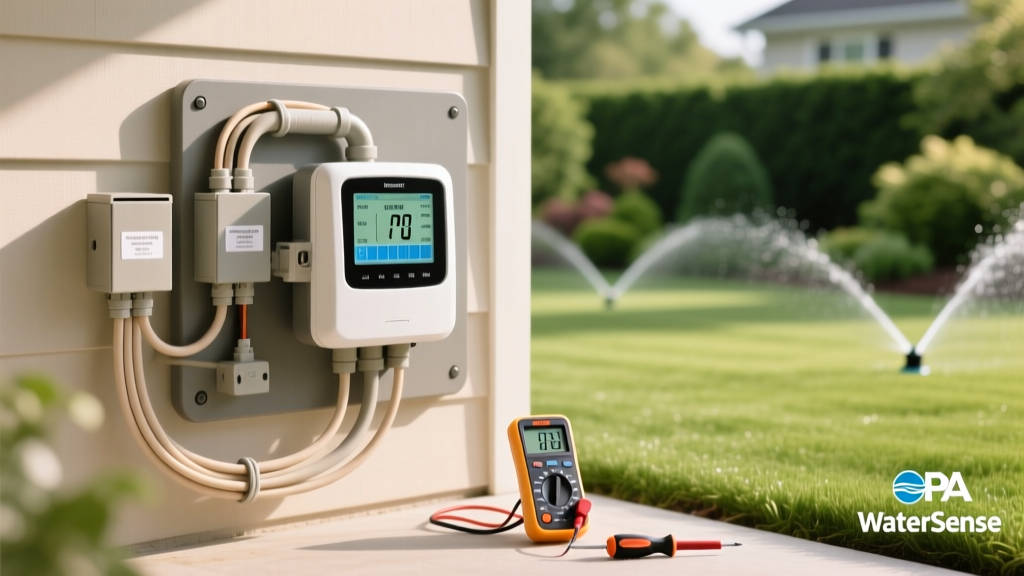
DIY Guide: Install a Smart Irrigation Controller System
Robert HayesPublished
Why Upgrade to a Smart Irrigation Controller?
Bridging the gap between indoor smart home technology and outdoor energy-efficient landscaping is one of the most impactful upgrades a modern homeowner can make. Traditional sprinkler timers operate on rigid, pre-set schedules that completely ignore real-time environmental conditions. They blindly water your lawn during heavy rainstorms, waste precious resources during high-wind events, and fail to adapt to seasonal shifts in temperature and daylight. A smart irrigation controller replaces this outdated logic with real-time weather data, local soil moisture tracking, and evapotranspiration (ET) rates to deliver the exact amount of water your landscape needs, precisely when it needs it.
According to the EPA's WaterSense program, replacing a standard clock timer with a WaterSense labeled smart irrigation controller can save the average home nearly 7,600 gallons of water annually. Beyond the obvious environmental benefits, this translates to significant reductions in your monthly municipal utility bills and prevents the overwatering that leads to shallow root systems, fungal turf diseases, and harmful nutrient runoff into local waterways.
Tools and Materials Required
Before beginning your installation, gather the necessary tools. This is a low-voltage DIY project that typically takes under an hour to complete, making it highly accessible for beginners.
- Smart Irrigation Controller: $100 to $250 depending on zone count and smart home features.
- Phillips and Flathead Screwdrivers: For removing the old faceplate and tightening terminal screws.
- Wire Strippers: To strip the casing off aged, brittle copper wires without damaging the conductor.
- Power Drill and Bits: For mounting the new backplate to drywall, stucco, or brick.
- Smartphone or Tablet: Required for downloading the companion app and connecting the device to your home Wi-Fi network.
- Weatherproof Enclosure (Optional): $30 to $50, required only if mounting the controller outdoors in an exposed area.
Choosing the Right Smart Controller
Selecting the right hardware depends on your landscape's complexity, your budget, and your smart home ecosystem preferences. Below is a comparison of three industry-leading WaterSense certified models to help you decide which unit best fits your garden-to-table landscape and turf zones.
| Model | Max Zones | Smart Features | Estimated Cost |
|---|---|---|---|
| Rachio 3 | 8 or 16 | Weather Intelligence Plus, flow meter integration, IFTTT support, Apple HomeKit | $170 - $230 |
| Orbit B-hyve Smart | 6 or 12 | WeatherSense technology, manual dial override, highly budget-friendly | $100 - $140 |
| Rain Bird ST8I-2.0 | 8 | Wi-Fi connectivity, Rain Bird irrigation expertise, simple app UI | $110 - $130 |
Step-by-Step Installation Guide
Step 1: Document and Power Down
Safety and preparation are paramount. Locate your main electrical panel and flip the breaker that supplies power to your irrigation system. If your controller is plugged into a standard 120V outlet inside a garage, simply unplug it. Once the power is completely off, open the faceplate of your existing controller. Use your smartphone to take clear, well-lit photographs of the current wiring configuration. Pay special attention to the colored wires and the specific terminal numbers they are connected to. This visual backup is invaluable if you encounter confusion during the wiring phase.
Step 2: Remove the Old Controller
Using a flathead screwdriver, loosen the terminal screws on the old controller and gently pull the wires free. If the wires are stiff, corroded, or show signs of heat damage, use your wire strippers to trim the damaged ends and strip about half an inch of fresh, clean copper. Once all wires are safely disconnected, unscrew the backplate from the wall and remove the old unit. Keep the wall anchors in place if they are secure and align with your new controller's mounting holes.
Step 3: Mount the New Smart Controller
Position the new controller's backplate against the wall. If you are installing the unit indoors, standard drywall anchors will suffice. If you are mounting the controller outdoors, you must use a UV-resistant, weatherproof enclosure to protect the internal electronics from rain, dust, and extreme temperature fluctuations. Use your power drill to secure the backplate, ensuring it sits perfectly level to prevent water from pooling inside the enclosure.
Step 4: Wire the Terminals
This step requires precision and patience. Refer to the photograph you took in Step 1. Insert the common wire (usually white or black, labeled 'C' or 'COM') into the common terminal on the new smart controller. Next, insert each zone wire into its corresponding numbered terminal. Tighten the screws firmly to ensure a solid copper connection, but avoid overtightening, which can snap brittle wires. If your system includes a master valve or a pump start relay, ensure these are connected to their designated 'MV' or 'P/MV' terminals to prevent mainline leaks.
Step 5: Connect to Wi-Fi and Configure Zones
Restore power to the unit at the breaker or outlet. Download the manufacturer's companion app to your smartphone and create an account. Follow the in-app prompts to connect the controller to your 2.4GHz home Wi-Fi network. Note that most smart controllers do not support 5GHz networks due to range limitations through exterior walls. Once connected, the app will guide you through the zone configuration process.
Optimizing Zone Settings for Water Conservation
The true power of a smart irrigation system lies in its software configuration. To maximize water efficiency and promote deep, drought-resistant root growth, you must input accurate landscape data for each individual zone. The University of Florida IFAS Extension heavily emphasizes that irrigation scheduling must be tailored to local soil morphology and plant root depth to prevent nutrient leaching and water waste.
- Soil Type: Sandy soils drain rapidly and require shorter, more frequent watering cycles to prevent water from leaching below the root zone. Clay soils retain moisture and require longer, infrequent soakings to prevent surface runoff.
- Root Depth: Turfgrass typically has a shallow root depth of two to four inches, while mature shrubs and garden-to-table vegetable beds have deeper root systems. Grouping plants with similar root depths on the same zone is critical for efficiency.
- Slope and Sun Exposure: Zones on a steep slope require 'cycle and soak' programming to allow water to penetrate the soil rather than running off into the street. South-facing zones in full sun will naturally require higher water budgets than shaded north-facing zones.
- Sprinkler Head Type: Rotor heads apply water much slower than spray heads. If you mix them on the same zone, your lawn will receive uneven coverage. Input the correct precipitation rate into the app for accurate runtime calculations.
Troubleshooting Common Installation Issues
Even with careful preparation, you may encounter minor hurdles during setup. Here is how to resolve the most common issues:
- Zone Fails to Activate: If a specific zone does not turn on during a manual test, the wire is likely loose at the terminal or broken in the yard. Re-check the terminal connection first. If secure, use a multimeter to test for continuity in the field wire.
- Controller Cannot Connect to Wi-Fi: Ensure your router is broadcasting a 2.4GHz signal. If the controller is in a detached garage or far from the router, consider installing a Wi-Fi range extender to boost the signal.
- System Waters During Rain: Verify that the 'Weather Intelligence' or 'Rain Skip' feature is toggled on in the app settings. Some basic models require a physical rain sensor wired to the 'SEN' terminals to override the schedule.
Seasonal Maintenance and Winterization
While smart controllers handle daily adjustments automatically, seasonal maintenance is still required. In late autumn, use the app's winterization feature to shut off the water supply and run a manual blow-out cycle if you live in a freezing climate. This prevents trapped water from expanding and cracking your PVC pipes or sprinkler heads. In the spring, inspect your sprinkler heads for alignment, clean the filters, and update your app's seasonal shift settings to prepare for the summer heat.
Conclusion
Upgrading to a smart irrigation controller is a cornerstone project for modern, energy-efficient landscaping. By taking the guesswork out of lawn care, you ensure your garden-to-table vegetables, ornamental beds, and turfgrass receive precise hydration tailored to their unique biological needs. Not only does this practical DIY upgrade protect your home's foundation from overwatering and save thousands of gallons of water annually, but it also seamlessly integrates your outdoor landscape into your broader smart home ecosystem. Grab your screwdriver, download the app, and take control of your landscape's hydration today.
