Home & Garden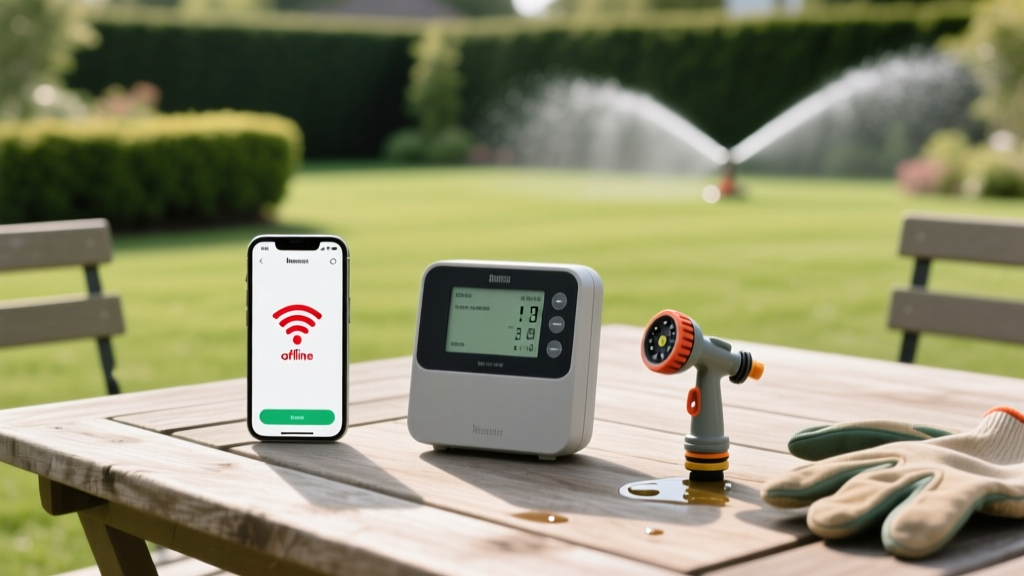
Diagnosing Smart Irrigation Wi-Fi Drops and Zone Faults
James MillerPublished
Introduction to Smart Irrigation Troubleshooting
Smart irrigation controllers have revolutionized residential lawn care, bridging the gap between outdoor landscaping and indoor smart home ecosystems. Devices like the Rachio 3, Orbit B-hyve Pro, and Hunter Hydrawise promise immense water savings by adjusting schedules based on local weather data. According to the EPA WaterSense program, smart controllers can save the average home nearly 7,600 gallons of water annually. However, integrating Internet of Things (IoT) technology into harsh outdoor environments introduces a unique set of technical headaches. From Wi-Fi connectivity drops to electrical valve faults, diagnosing these issues requires a blend of networking knowledge and basic electrical troubleshooting.
This comprehensive guide will walk you through the most common smart irrigation problems, providing actionable diagnostics, specific multimeter measurements, and cost-effective solutions to get your garden-to-table landscape properly hydrated.
Diagnosing Smart Controller Wi-Fi Connectivity Drops
The most frequent complaint among smart sprinkler users is the dreaded "Offline" status in the mobile app. When your controller loses its connection to the cloud, it typically defaults to a basic offline schedule, negating the weather-based water savings you invested in.
Understanding 2.4 GHz vs. 5 GHz Band Steering
Almost all smart irrigation controllers operate exclusively on the 2.4 GHz Wi-Fi band due to its superior range and wall-penetration capabilities. However, modern mesh routers often use "band steering," which combines 2.4 GHz and 5 GHz networks under a single SSID (network name). This frequently causes the irrigation controller to repeatedly attempt connecting to the weaker 5 GHz signal, resulting in dropped connections.
- The Fix: Access your router's admin panel and temporarily disable band steering, or create a dedicated 2.4 GHz IoT network specifically for your outdoor smart devices.
- Signal Strength Check: Use a Wi-Fi analyzer app on your smartphone while standing next to your controller. You need an RSSI (Received Signal Strength Indicator) of at least -70 dBm for a stable connection. If your signal is weaker than -75 dBm, you need a hardware upgrade.
- Hardware Solution: Install an outdoor-rated Wi-Fi extender, such as the TP-Link EAP225-Outdoor, mounted on the exterior wall closest to your controller. Expect to spend around $70 to $90 for a reliable outdoor access point.
Troubleshooting Sprinkler Zone Faults and Valve Errors
When your app indicates that a zone is actively running, but no water is spraying, or conversely, a zone refuses to shut off, you are likely dealing with an electrical or mechanical valve fault. As outlined by the University of Florida IFAS Extension, electrical faults and solenoid failures account for the majority of automated irrigation system breakdowns.
The Multimeter Solenoid Test
The solenoid is the electromagnetic cylinder on top of your irrigation valve that opens the water diaphragm when it receives 24 VAC (Volts Alternating Current) from the controller. To diagnose a dead zone:
- Turn off the irrigation controller and disconnect the solenoid wires.
- Set your digital multimeter to the Ohms (Ω) resistance setting.
- Touch the multimeter probes to the two solenoid wires.
- Normal Reading: A healthy solenoid will read between 20 and 60 ohms.
- Open Circuit (Infinite/OL): The internal copper coil is broken. The solenoid must be replaced (Cost: $12 - $18).
- Short Circuit (Near 0 Ohms): The coil is shorted, which can blow the internal fuse or fry the controller's triac. Replace the solenoid immediately.
Tracking Down the "Common Wire" Break
If multiple zones fail to turn on simultaneously, the issue is rarely multiple broken solenoids. Instead, you likely have a break in the "common wire." In a standard irrigation circuit, each valve has a dedicated colored wire and a shared white common wire that completes the 24 VAC circuit. If a landscaper's edger or a burrowing rodent severs the common wire, all zones downstream of the break will fail. You will need to use a wire locator tool (like the Armada Pro300, approx. $350, or rent one from a local hardware store) to trace the path and splice the break using waterproof gel-filled wire connectors.
Troubleshooting Flow Sensor False Positives
Advanced smart setups often include a wireless flow meter to detect leaks and automatically shut off the system to prevent landscape washouts. However, homeowners frequently report "false positive" leak alerts, where the app shuts down the system despite no visible leaks.
This is usually caused by debris obstructing the paddlewheel sensor inside the flow meter, or water hammer (sudden pressure spikes) causing the sensor to over-report gallonage. To fix this, shut off the main water supply, unscrew the flow meter housing, and gently clean the paddlewheel with a soft brush. Next, access your smart app's settings and increase the "leak detection threshold" by 10% to account for minor pressure fluctuations in your municipal water supply.
Smart Irrigation Troubleshooting Cheat Sheet
Use this structured diagnostic table to quickly identify and resolve common smart irrigation anomalies.
| Symptom | Probable Cause | Diagnostic Step | Est. Fix Cost |
|---|---|---|---|
| Controller shows "Offline" in app | 2.4 GHz Wi-Fi drop or weak RSSI | Check router band steering; test signal with phone | $0 - $80 (Extender) |
| Single zone won't activate via app | Blown solenoid or disconnected wire | Test solenoid resistance (20-60 Ω) | $15 (Solenoid) |
| Multiple zones fail to activate | Severed common wire or blown controller fuse | Inspect controller internal fuse; trace common wire | $5 (Fuse) to $150 (Wire repair) |
| Zone stays on after app schedule ends | Debris under valve diaphragm or manual bleed screw left open | Disassemble valve and clean diaphragm seal | $25 (Rebuild kit) |
| App reports "Leak Detected" falsely | Dirty flow sensor paddlewheel or water hammer | Clean flow meter; adjust app leak threshold | $0 |
Protecting Outdoor Tech from Power Surges and Weather
Smart controllers are highly sensitive to voltage spikes caused by nearby lightning strikes or grid fluctuations. A standard outdoor power outlet is not enough to protect the delicate internal circuit boards of a $250 smart controller. Always install a dedicated outdoor surge suppressor, such as the Orbit 57040 Surge Suppressor, wired directly between your power source and the controller transformer.
Furthermore, ensure your controller is housed in a NEMA 4X rated weatherproof enclosure if it is not specifically rated for direct outdoor exposure. NEMA 4X guarantees protection against windblown dust, rain, splashing water, and hose-directed water, ensuring your smart home integration survives the harshest seasonal elements.
Pro-Tip for Seasonal Maintenance: Before winterizing your system with an air compressor blow-out, always disconnect the smart controller's power and remove the backup batteries. Trapped moisture in the solenoids can freeze and crack the valve housings, leading to catastrophic leaks when the system is repressurized in the spring.
Conclusion
While smart irrigation systems introduce a layer of digital complexity to traditional lawn care, the vast majority of issues can be diagnosed with a basic understanding of Wi-Fi frequencies and a $15 digital multimeter. By systematically isolating network variables from electrical valve faults, you can maintain a lush, energy-efficient landscape that seamlessly integrates with your modern smart home.
