Home & Garden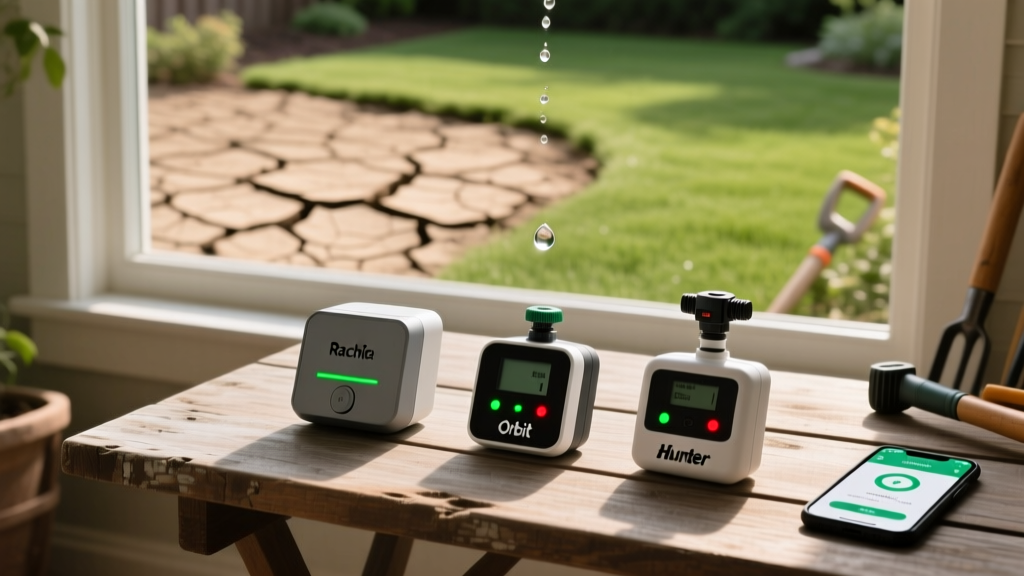
Troubleshooting Smart Irrigation: Fixing Offline Controllers
Mike RodriguezPublished
Bridging the Gap: When Smart Landscaping Goes Offline
Integrating smart home technology with your outdoor living space is one of the most effective ways to achieve energy-efficient landscaping and conserve water. Smart irrigation controllers—such as the Rachio 3, Orbit B-hyve, and Hunter Hydrawise—use local weather data and soil moisture sensors to automate garden-to-table prep and maintain lush lawns without wasting a drop. However, when these devices lose connectivity or fail to trigger specific zones, your landscape can quickly dry out, and your smart home ecosystem throws an error code. Troubleshooting these systems requires a blend of IT networking skills and traditional plumbing diagnostics. According to the EPA WaterSense program, weather-based irrigation controllers can save the average home nearly 7,600 gallons of water annually, making it crucial to keep them online and functioning correctly.
In this comprehensive diagnostic guide, we will walk through the exact steps to troubleshoot offline smart controllers, diagnose dry zones, test electrical components with a multimeter, and interpret common error codes. Whether you are dealing with a Wi-Fi dropout in the backyard or a stuck solenoid valve in the dirt, this guide provides actionable, cost-effective solutions.
Diagnosing an Offline Smart Irrigation Controller
An 'offline' status in your mobile app means the controller cannot communicate with the manufacturer's cloud servers. This is rarely a problem with the sprinkler valves themselves and almost always related to network connectivity or local power supply.
Step 1: Check Wi-Fi Signal Strength and Interference
Most smart irrigation controllers are installed in garages, basements, or on the exterior siding of a home, which are notorious dead zones for Wi-Fi signals. Furthermore, nearly all smart sprinkler controllers operate exclusively on the 2.4 GHz Wi-Fi band because it offers better range and wall penetration than the 5 GHz band.
- Diagnosis: Use your smartphone to check the Wi-Fi signal strength at the exact location of the controller. If you have fewer than two bars, the controller will frequently drop offline.
- Troubleshooting: Ensure your router is not hiding the 2.4 GHz SSID or using a mesh network that forces 5 GHz connections. If the signal is genuinely weak, install a weatherproof outdoor Wi-Fi extender or a mesh node near the controller. A standard TP-Link or Netgear extender costs between $25 and $50 and resolves 80% of connectivity issues.
Step 2: Power Supply and Transformer Troubleshooting
If your controller's LED indicator is completely dark, or if it is rebooting endlessly, the issue is likely the step-down transformer. Smart controllers require a steady 24VAC (Volts Alternating Current) to power the internal logic board and send signals to the sprinkler valves.
- Diagnosis: Set a digital multimeter to AC Voltage (V~). Touch the probes to the two AC power terminals on the controller's wiring bay.
- Expected Reading: You should see a reading between 24VAC and 28VAC. If the reading is below 22VAC, the transformer is failing or there is a short in the field wiring drawing too much current. If it reads 0VAC, the transformer is dead or the outlet has tripped a GFCI breaker.
- The Fix: Replacement transformers are universal and inexpensive. A standard 24VAC 40VA transformer costs about $15 to $25 at any hardware store. Always ensure the outdoor outlet is equipped with a weatherproof cover and has not tripped its GFCI reset button.
Troubleshooting Dry Zones and Water Flow Issues
If your app shows the controller is 'Online' and schedules are running, but specific zones are not watering, the problem has moved from the smart home network to the physical irrigation plumbing. As noted by the experts at Hunter Industries, zone failures are typically isolated to the solenoid, the valve diaphragm, or the sprinkler heads themselves.
Solenoid Valve Failures
The solenoid is the electro-mechanical bridge that tells the water valve to open. When the controller sends a 24VAC pulse, the solenoid creates a magnetic field that lifts the plunger, releasing water pressure and allowing the main valve to open.
- Electrical Test: Disconnect the solenoid wires. Set your multimeter to Ohms and touch the probes to the two solenoid wires. A healthy solenoid will read between 20 and 60 ohms. If it reads 'OL' (infinite resistance), the internal copper coil is broken, and the solenoid must be replaced.
- Manual Test: Twist the solenoid cylinder counterclockwise by a quarter-turn. If water flows, the valve plumbing is fine, confirming the electrical solenoid is the culprit. Replacement solenoids cost around $12 to $18.
Clogged Sprinkler Heads and Nozzle Screens
If the valve opens (you can hear the water rushing through the pipes) but the sprinkler heads fail to pop up or spray a weak, uneven mist, you have a pressure or blockage issue.
- Diagnosis: Unscrew the nozzle from the top of the sprinkler body. Beneath the nozzle is a small plastic or stainless-steel filter screen. Over time, dirt, calcium scale, and root fragments clog this screen.
- The Fix: Pull the screen out with needle-nose pliers and rinse it in a bucket of water. If you are upgrading your landscape for better energy and water efficiency, consider swapping standard spray nozzles for rotary nozzles (like the MP Rotator). These apply water at a slower rate, drastically reducing runoff and improving soil absorption, which aligns perfectly with smart controller scheduling.
Common Smart Controller Error Codes and Solutions
Smart controllers use internal diagnostics to alert you to system failures. Below is a comparison chart of common error messages found across major brands like Rachio, Orbit, and Hunter, along with their actionable fixes.
| Error Message | Probable Cause | Actionable Fix & Estimated Cost |
|---|---|---|
| Valve Error / Short Circuit | A field wire is cut, or a solenoid has shorted out, causing the controller to protect itself by shutting down the zone. | Trace the wire path for shovel damage. Splice the cut wire with waterproof gel connectors. ($5 for connectors) |
| Rain Sensor Active / Skip | Wired or wireless rain sensor has triggered, or the sensor bypass switch on the controller is in the 'Off' position. | Check the physical rain sensor for debris. Flip the sensor bypass switch to 'Active' or 'On' in the app settings. ($0) |
| Master Valve / Pump Error | The main water line valve is failing to open, or the pump start relay is not receiving the 24VAC signal. | Test the master valve solenoid. Check the relay wiring in the pump house. Replace master valve if necessary. ($25 - $60) |
| Wi-Fi / Network Timeout | Router rebooted, 2.4GHz band dropped, or DNS settings changed on the home network. | Reboot router. Move controller closer to the mesh node. Re-enter Wi-Fi password in the app. ($0) |
Preventative Maintenance for Smart Irrigation Systems
To prevent mid-summer landscaping disasters, implement a seasonal maintenance routine. The Irrigation Association recommends a comprehensive spring startup and autumn winterization process to protect both the physical plumbing and the smart electronics.
Spring Startup Protocol
- Slow Pressurization: When turning on the main water supply in spring, open the ball valve only a quarter-turn at first. Let the pipes fill slowly to prevent 'water hammer,' which can blow out valve diaphragms and crack PVC fittings.
- Sensor Calibration: Clean the cups of your rain and freeze sensors. If you use a soil moisture probe, dig it up, clean the metal contacts with a Scotch-Brite pad, and rebury it at the root zone depth (usually 4 to 6 inches for turfgrass).
- App Schedule Audit: Update your smart app with any new garden-to-table vegetable beds or shade structures that alter the sun exposure in your yard. Adjust the root zone depth and soil type settings in the app to ensure the algorithm calculates accurate watering durations.
Autumn Winterization
If you live in a climate with freezing temperatures, water left inside the valves and pipes will expand and crack the plastic housings, destroying the solenoids and ruining the smart controller's internal fuses. You must blow out the system using an air compressor. Keep the air pressure below 50 PSI for polyethylene pipe and 80 PSI for PVC to avoid damaging the sprinkler heads. Once blown out, disconnect the smart controller's faceplate (if removable) and bring it indoors to protect the LCD screen and internal Wi-Fi chip from extreme winter cold and moisture.
Final Thoughts on Smart Landscape Troubleshooting
Diagnosing a smart irrigation system is a highly rewarding DIY project that bridges the gap between digital smart home management and physical outdoor maintenance. By systematically checking your Wi-Fi bands, testing your 24VAC transformers, and measuring solenoid resistance, you can solve 95% of all connectivity and watering issues without calling a professional. Keep a digital multimeter, a spare 24VAC transformer, and a few extra solenoids in your garden shed, and your landscape will remain efficiently watered and perfectly synced with your smart home ecosystem year-round.
