Home & Garden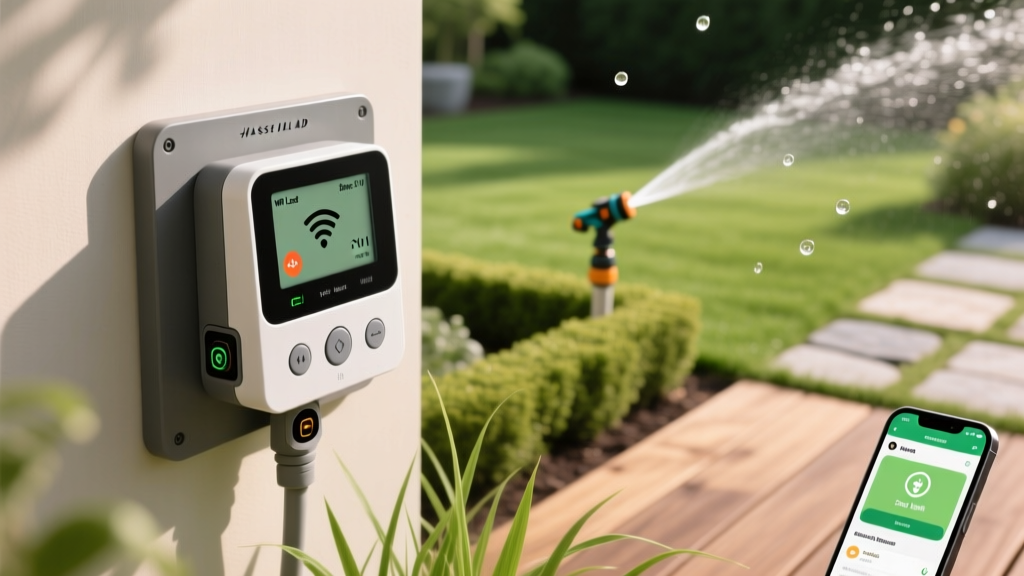
Diagnosing and Fixing Smart Irrigation Controller Issues
Anna KowalskiPublished
Introduction to Smart Irrigation Troubleshooting
Smart irrigation controllers like the Rachio 3, Orbit B-hyve, and Hunter Hydrawise have revolutionized home lawn care. By leveraging hyperlocal weather data and evapotranspiration (ET) rates, these devices optimize watering schedules, conserve water, and keep your landscape thriving. In fact, according to the EPA WaterSense program, smart irrigation controllers can save the average home nearly 7,600 gallons of water annually. However, bridging the gap between outdoor landscaping and indoor smart home technology introduces a unique set of technical challenges. From sudden WiFi dropouts to unresponsive zone valves, a malfunctioning smart controller can quickly lead to dry patches or flooded garden beds.
This comprehensive troubleshooting guide will walk you through diagnosing and resolving the most common smart irrigation controller issues. Whether you are dealing with connectivity errors, electrical faults, or mechanical valve failures, these actionable steps will help you restore your system to peak efficiency without necessarily calling in a professional.
The Hidden Culprit Behind WiFi and Connectivity Dropouts
The most frequent complaint among smart irrigation users is the controller suddenly appearing 'offline' in the mobile app. When a controller loses connection, it typically defaults to a conservative offline schedule or stops watering entirely, risking your lawn's health. The root cause almost always lies in the WiFi signal strength and frequency band.
Understanding the 2.4GHz Requirement
Most smart outdoor controllers are designed to connect exclusively to the 2.4GHz WiFi band, not the faster 5GHz band. The 2.4GHz frequency is used because it offers superior range and better penetration through solid objects like exterior brick walls, siding, and stucco. If your router recently updated or you installed a new mesh network, your 2.4GHz and 5GHz bands might have been merged under a single SSID (network name). Many smart controllers cannot parse this combined signal and will fail to connect.
- Diagnosis: Check your router settings to ensure the 2.4GHz band is enabled and, if possible, separated into its own distinct SSID (e.g., 'HomeNetwork_2.4G').
- The Enclosure Problem: If your controller is mounted outside in a metal enclosure, the metal acts as a Faraday cage, blocking the signal. Relocate the controller to a non-metallic box or mount it inside the garage near the exterior wall where the irrigation wires enter.
- Signal Extension: If the controller is simply too far from the router, invest in a weather-resistant outdoor WiFi extender or a standard indoor extender placed near the exterior wall. Products like the TP-Link RE220 (approx. $25) can bridge the gap effectively.
Troubleshooting Zone and Valve Failures
If your app shows that a zone is actively running, but no water is coming out of the sprinkler heads, the issue lies between the controller's terminal strip and the physical valve in the yard. According to troubleshooting guidelines published by the University of Missouri Extension, electrical and mechanical valve failures account for the vast majority of 'dry zone' complaints.
Testing the Solenoid with a Multimeter
The solenoid is the electromagnetic cylinder on top of the valve that opens and closes the water flow. To test it, you will need a standard digital multimeter.
- Turn off the power to your irrigation controller at the breaker or by unplugging it.
- Disconnect the two wires connecting to the problematic zone's solenoid.
- Set your multimeter to the Ohms (Ω) setting, specifically the 200-ohm range.
- Touch the multimeter probes to the two wires on the solenoid (not the controller wires).
- A healthy solenoid will read between 20 and 60 ohms. If the reading is 0 (indicating a short) or infinite/OL (indicating a broken internal wire), the solenoid is dead and must be replaced.
Replacement solenoids, such as the Rain Bird 24V or Hunter SRV models, typically cost between $12 and $18 at local hardware stores. Simply unscrew the old one and twist the new one into the valve bonnet.
Cleaning a Stuck Valve Diaphragm
If the solenoid tests fine, or if a zone refuses to turn off (resulting in a constant geyser), debris is likely trapped in the valve diaphragm. Grit, sand, or small pebbles can prevent the rubber diaphragm from sealing against the valve seat.
Pro Tip: Always turn off the main water supply to your irrigation system before opening a valve box to prevent unexpected geysers while you work.
To fix this, unscrew the valve bonnet (usually 4 to 6 Phillips or hex screws), remove the diaphragm, and rinse it thoroughly with clean water. Inspect the rubber for tears or warping; if damaged, replace it with a manufacturer-specific repair kit (approx. $8). Flush the valve body with water to clear any remaining debris before reassembling.
Smart Controller Diagnostic Matrix
Use the following diagnostic table to quickly identify your smart irrigation issue and determine the most cost-effective solution.
| Symptom | Probable Cause | Diagnostic Step | Estimated Fix Cost |
|---|---|---|---|
| Controller Offline in App | Missing 2.4GHz Band / Weak Signal | Check Router Settings / Ping Test | $0 - $30 (Extender) |
| Zone Will Not Start | Blown Solenoid or Cut Wire | Multimeter Ohms Test at Valve | $15 - $25 (Solenoid) |
| Zone Will Not Stop Running | Debris in Valve Diaphragm | Disassemble and Inspect Valve | $5 - $15 (Repair Kit) |
| Blank Screen / No Power | Tripped GFCI or Bad Transformer | Voltage Test at Transformer | $10 - $30 (Transformer) |
| Overwatering During Rain | Faulty Rain Sensor / Bad API Data | Bypass Sensor / Change Weather Station | $0 - $40 (New Sensor) |
Addressing Power, Transformers, and GFCI Trips
If your smart controller's screen is completely blank and unresponsive, the unit is not receiving power. Smart controllers rely on a step-down transformer to convert 120V household AC current into a safe 24VAC (Volts Alternating Current) for the irrigation system.
Checking the GFCI Outlet
Most indoor controllers are plugged into a GFCI (Ground Fault Circuit Interrupter) outlet in a garage, basement, or patio. Moisture ingress in outdoor valve wiring can cause a micro-fault, tripping the GFCI outlet and cutting power to the controller. Locate the outlet, press the 'Reset' button, and see if the controller boots up. If it trips again immediately, you have a bare wire touching soil or water in your yard that must be found and sealed using grease-filled wire nuts (e.g., DryConn connectors).
Testing the Transformer
If the outlet has power but the controller is dead, the transformer may have burned out due to a power surge or a shorted solenoid. Set your multimeter to VAC (Volts AC) and touch the probes to the two wires exiting the transformer. A healthy transformer should read between 24V and 28VAC. If it reads 0V or significantly lower, the transformer is dead. Replacing a standard 24V 40VA plug-in transformer is a simple fix that costs roughly $15 to $20.
Weather API and Sensor Integration Errors
One of the main benefits of smart controllers is their ability to pull data from local weather stations to adjust watering times automatically. However, this reliance on cloud data can sometimes lead to bizarre watering behaviors, such as skipping necessary watering days or running during a downpour.
Hyperlocal Weather Station Glitches
Smart apps often default to the nearest Personal Weather Station (PWS). If a neighborhood PWS malfunctions and reports zero humidity or zero rainfall, your controller will overcompensate and overwater your lawn. Open your smart controller app, navigate to the 'Weather' or 'Station' settings, and switch the data source to a more reliable local airport or national weather service station.
Wired Rain Sensor Conflicts
If you have a traditional wired rain sensor (like the Hunter Mini-Click) connected to your smart controller, ensure the app's virtual weather skip feature isn't conflicting with the physical sensor. If the physical sensor's cork disks are swollen and stuck, the controller will think it is always raining. Test this by manually pressing the sensor's override button or disconnecting the sensor wires and bridging the terminal with a jumper wire to see if the system resumes normal operation.
Conclusion
Troubleshooting a smart irrigation controller requires a blend of IT networking knowledge and traditional landscaping maintenance. By systematically isolating the problem—starting from the WiFi signal, moving to the transformer, and finally testing the field valves and solenoids—you can solve 95% of all smart irrigation issues on your own. Keeping a digital multimeter, a few spare 24V solenoids, and a valve repair kit in your garage ensures that your garden-to-table landscape remains perfectly hydrated, efficient, and fully integrated with your smart home ecosystem year-round.
