Home & Garden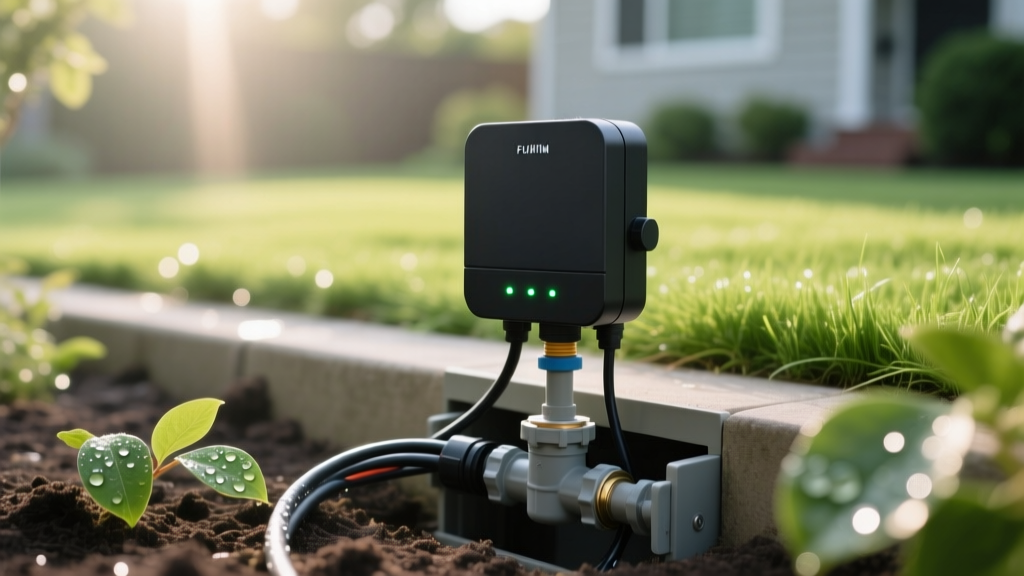
Diagnose and Fix Smart Sprinkler Controller Problems
Sarah ChenPublished
The Rise of Smart Irrigation and Common Glitches
Upgrading to a smart sprinkler controller like a Rachio 3, Orbit B-hyve, or Hunter Hydrawise is one of the most effective ways to bridge the gap between smart home technology and energy-efficient landscaping. According to the EPA WaterSense program, smart irrigation controllers can save the average home nearly 7,600 gallons of water annually by adjusting watering schedules based on local weather conditions. However, when these devices merge outdoor plumbing with indoor Wi-Fi networks, a unique set of troubleshooting challenges arises. From dropped connections to stuck solenoids, diagnosing the root cause requires a blend of IT networking skills and basic landscape plumbing knowledge. This comprehensive guide will walk you through the most common smart irrigation problems and provide actionable, step-by-step solutions to get your lawn back on track.
Issue 1: Controller Won't Connect to Wi-Fi or Smart Home Hubs
The most frequent complaint among smart irrigation users is connectivity loss. Unlike indoor smart plugs, sprinkler controllers are typically mounted in garages, basements, or on exterior walls, placing them far from the main router. Furthermore, most irrigation controllers operate exclusively on the 2.4 GHz Wi-Fi band, which is highly susceptible to interference from concrete walls and competing signals.
Diagnosis and Fixes
1. Check the Band: Ensure your smartphone is connected to the 2.4 GHz network during setup, not the 5 GHz band. If you have a mesh network with a unified SSID, temporarily pause the 5 GHz band in your router settings to force the controller to connect to the 2.4 GHz frequency.
2. Signal Strength Test: Use your smartphone to check the Wi-Fi signal strength at the exact location of the controller. If you have fewer than two bars, the controller will routinely drop offline, causing missed watering cycles and broken Alexa or Google Home routines.
3. Install a Wi-Fi Extender: If the signal is weak, install a weatherproof outdoor Wi-Fi extender or a mesh node in a nearby window. A standard TP-Link outdoor extender costs around $40 to $60 and can permanently resolve dropout issues.
Issue 2: Zones Not Turning On or Stuck Open
When a specific zone fails to activate via the app, or worse, stays running continuously, the issue usually lies in the electrical communication between the controller and the underground valve solenoid. Smart controllers send a 24VAC (Volts Alternating Current) signal through a common wire and a zone-specific colored wire to activate the solenoid.
Diagnosis and Fixes
If the zone won't turn on: First, perform a manual bleed. Locate the valve box in your yard and twist the solenoid cylinder counterclockwise by a quarter turn. If water flows, your plumbing is fine, and the issue is electrical. If no water flows, the valve diaphragm is likely clogged with debris or torn, requiring a $15 replacement kit.
If the electrical signal is the culprit, check the wiring terminals inside the controller. Ensure the zone wire is stripped back by exactly half an inch and is securely fastened under the terminal screw. Loose wires cause voltage drops that prevent the solenoid from engaging.
If the zone is stuck open: This is an emergency that wastes hundreds of gallons of water. Immediately turn off the main water supply to the irrigation system at the backflow preventer. Next, check the controller app to ensure the zone isn't scheduled for a continuous cycle. If the app shows the zone is 'off' but water is still flowing, the solenoid is likely jammed open by a small pebble or grit. Disassemble the valve, flush the chamber, and replace the solenoid.
Issue 3: Inaccurate Weather Intelligence and Overwatering
Smart controllers rely on hyper-local weather data to skip watering during rain or high humidity. However, users often report that their system watered the lawn during a downpour. This happens because the controller is pulling data from a distant airport weather station rather than a local Personal Weather Station (PWS).
Diagnosis and Fixes
To fix this, log into your controller's web portal and change the weather intelligence source. Platforms like Rachio and Hunter allow you to link your system to a nearby PWS via services like Weather Underground or PWS Weather. For ultimate accuracy, bypass internet weather entirely by installing a wireless soil moisture sensor. These probes are buried in the root zone of your lawn and communicate directly with the controller to halt watering when soil volumetric water content reaches optimal levels. According to landscape irrigation experts featured by Water Use It Wisely, combining smart controllers with soil moisture sensors represents the gold standard in residential water conservation.
Troubleshooting Comparison Chart
Use the table below to quickly identify your problem, the required diagnostic tool, and the estimated repair cost.
| Symptom | Probable Cause | Diagnostic Tool | Estimated Fix Cost |
|---|---|---|---|
| Controller offline in app | Weak 2.4 GHz Wi-Fi signal | Smartphone Wi-Fi analyzer | $40 - $80 (Extender) |
| Single zone won't activate | Blown solenoid or cut wire | Digital Multimeter | $15 - $30 (Solenoid) |
| Zone runs continuously | Debris in valve diaphragm | Visual inspection | $20 (Rebuild kit) |
| Waters during heavy rain | Distant weather station data | App settings audit | $0 - $150 (Soil sensor) |
| Blank controller screen | Tripped transformer or GFCI | Voltage tester | $25 - $45 (Transformer) |
Step-by-Step Multimeter Testing for Zone Failures
When visual inspections fail, a digital multimeter is your best diagnostic tool. Set your multimeter to measure AC Voltage (VAC). With the controller powered on and a zone manually activated via the app, place one probe on the common wire terminal and the other on the active zone terminal. You should read between 22 and 26 VAC. If you read 0 VAC, the controller's internal relay for that zone is fried, and the entire controller must be replaced. If you read 24VAC at the controller but the zone doesn't turn on, the break is in the underground wiring or the solenoid itself. To test the solenoid, switch your multimeter to measure Ohms (resistance). Disconnect the solenoid wires and touch the probes to the two wires. A healthy solenoid will read between 20 and 60 Ohms. A reading of zero or infinity indicates a short or a broken internal coil, confirming the solenoid needs replacement.
Maintaining Your Smart Irrigation Ecosystem
Troubleshooting is only half the battle; proactive maintenance prevents most smart irrigation headaches. Every spring, inspect your backflow preventer for leaks, flush out your valve boxes to prevent ant colonies from nesting on the wiring nuts, and verify that your smart home integration routines are updated for seasonal daylight changes. By understanding the intersection of network connectivity and hydraulic mechanics, you can ensure your landscape remains lush, your water bills stay low, and your smart home ecosystem operates flawlessly.
