Home & Garden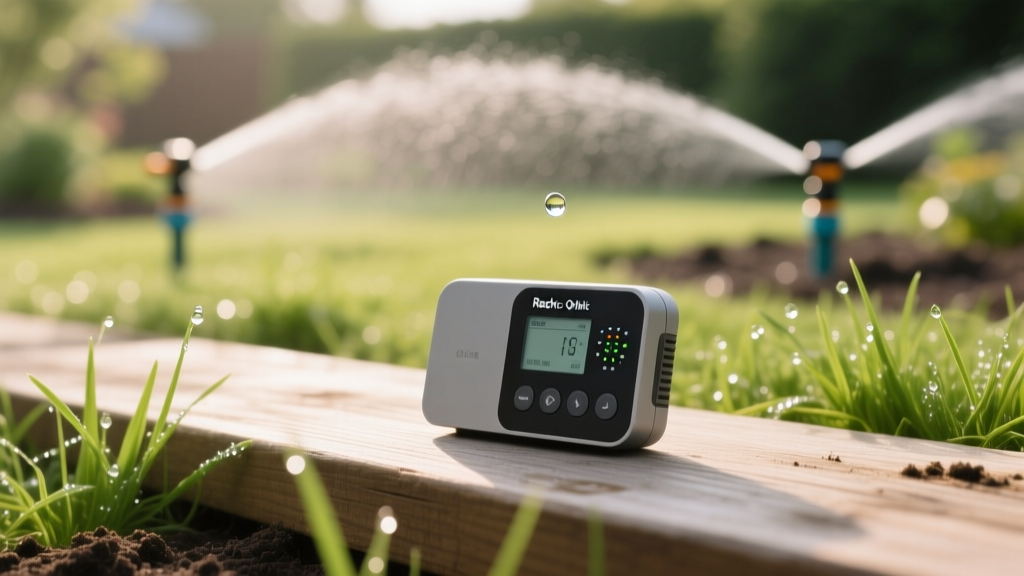
Smart Irrigation Controllers: Save Water and Grow a Greener Lawn
David ParkPublished
The Hidden Cost of Traditional Sprinkler Timers
For decades, the standard mechanical or digital sprinkler timer has been the backbone of residential lawn care. You set the dial, choose your run times, and walk away. But this 'set it and forget it' approach is fundamentally flawed. Traditional timers do not know if it rained yesterday, if a heatwave is approaching tomorrow, or if your soil is already saturated. The result? Massive water waste, fungal lawn diseases caused by overwatering, and unnecessarily high utility bills.
As smart home technology bridges the gap between indoor convenience and outdoor maintenance, smart irrigation controllers have emerged as a game-changer for homeowners. By integrating real-time weather data, soil moisture levels, and seasonal adjustments, these devices take the guesswork out of lawn care. According to the EPA WaterSense program, replacing a standard clock timer with a WaterSense-labeled smart irrigation controller can save the average home nearly 15,000 gallons of water annually.
How Smart Irrigation Controllers Work
Smart controllers replace outdated scheduling with dynamic, data-driven irrigation. They generally fall into two categories: weather-based (ET) controllers and soil moisture sensor controllers.
Weather-Based (Evapotranspiration) Controllers
These devices connect to your home's Wi-Fi network and pull hyper-local weather data from online meteorological services. They calculate Evapotranspiration (ET)—the sum of evaporation from the land surface and plant transpiration. If the system detects upcoming rain, high humidity, or strong winds, it automatically skips or shortens the watering cycle to prevent runoff and overwatering.
Soil Moisture Sensor Controllers
These systems rely on physical probes buried in the root zones of your lawn or garden beds. Instead of relying on weather forecasts, the system measures the actual volumetric water content in the soil. If the soil moisture is above your predefined threshold, the irrigation cycle is suspended. This is particularly useful for microclimates in your yard, such as heavily shaded areas that retain moisture longer than sunny patches.
Top Smart Sprinkler Controllers Compared
Choosing the right hardware depends on your yard's complexity, budget, and existing smart home ecosystem. Below is a comparison of the top three market leaders.
| Brand & Model | Price Range | Max Zones | Key Smart Features | Ecosystem Compatibility |
|---|---|---|---|---|
| Rachio 3 | $229 - $279 | 8 or 16 | Weather Intelligence Plus, automatic seasonal shifts, flow meter integration | Alexa, Google Home, Apple HomeKit, IFTTT |
| Orbit B-hyve | $99 - $149 | 6 or 12 | WeatherSense technology, budget-friendly, indoor/outdoor mount options | Alexa, Google Home, IFTTT |
| Rain Bird ST8I | $139 - $159 | 8 | Automatic seasonal adjust, EPA WaterSense certified, simple app interface | Alexa, Google Home |
Step-by-Step Installation Guide
Upgrading to a smart controller is a highly accessible DIY project. Most homeowners can complete the swap in under an hour. Here is your actionable guide to getting started.
Step 1: Preparation and Safety
Before touching any wires, locate your circuit breaker and turn off the power to your existing irrigation controller. Open the old controller's panel and take a clear, well-lit photograph of the wiring configuration. You will need this reference to map your zone wires to the new terminal block. Gather your tools: a flathead and Phillips screwdriver, wire strippers, and a drill if you are mounting the new unit in a new location.
Step 2: Wiring and Mounting
Loosen the terminal screws on your old unit and carefully remove the zone wires and the common wire (usually white or black, labeled 'C' or 'COM'). Remove the old backplate from the wall. Mount the new smart controller's backplate using the provided screws and wall anchors. Thread the wires through the new enclosure. Using your reference photo, insert each zone wire into its corresponding terminal (Zone 1 to Terminal 1, etc.) and secure the common wire. If your system includes a master valve or pump start relay, ensure it is connected to the designated 'M' or 'P' terminal.
Step 3: App Configuration and Zoning
Restore power at the breaker. Download the manufacturer's app (e.g., Rachio or B-hyve) and create an account. The app will guide you through connecting the device to your 2.4GHz Wi-Fi network. Once connected, the most critical step begins: Zone Configuration. Do not skip this. You must input the specific characteristics for each zone, including:
- Vegetation Type: Cool-season grass, warm-season grass, shrubs, or garden beds.
- Soil Type: Clay, loam, or sand (this dictates how fast the soil absorbs water).
- Sun Exposure: Full sun, partial shade, or full shade.
- Slope: Flat or sloped (sloped zones require 'cycle and soak' methods to prevent runoff).
- Sprinkler Head Type: Rotor, spray, or drip irrigation.
Maximizing Your Water Efficiency
Hardware is only half the equation. To truly optimize your outdoor water use, you must align your landscaping with your smart technology. The Utah State University Extension emphasizes the importance of 'hydrozoning'—grouping plants with similar water needs on the same irrigation valve. If you have a zone that mixes drought-tolerant shrubs with thirsty turfgrass, your smart controller will struggle to keep both healthy without wasting water on one.
Additionally, take advantage of the 'cycle and soak' feature available on most smart apps. Clay soils and sloped lawns absorb water slowly. Instead of watering for 20 continuous minutes (which causes wasteful street runoff), program the controller to water for 5 minutes, wait an hour for absorption, and repeat. This ensures water reaches the deep root zone where it is needed most.
Common Troubleshooting and Maintenance Tips
Even the smartest technology requires occasional maintenance. If your app indicates a zone is watering but no sprinklers are popping up, check for a tripped GFCI outlet or a blown fuse in the transformer. If the controller frequently loses Wi-Fi connection, ensure your 2.4GHz network reaches your garage or outdoor shed; you may need to install a simple Wi-Fi range extender. Finally, do not forget to winterize your system. Before the first hard freeze, use the app's 'blowout' mode or manually open the valves to clear water from the lines, preventing cracked pipes and damaged smart valves.
Environmental Impact and Return on Investment
The financial and environmental benefits of smart irrigation are substantial. While the upfront cost of a premium controller like the Rachio 3 might hover around $250, the return on investment is often realized within one to two watering seasons through reduced municipal water bills. Furthermore, many local water municipalities and utility companies offer aggressive rebate programs for installing EPA WaterSense-labeled smart controllers, sometimes covering up to 100% of the purchase price.
Beyond personal savings, the macro-environmental impact is profound. The Water Use It Wisely conservation campaign highlights that outdoor water use accounts for up to 60% of total residential water consumption in arid regions. By eliminating the 'guesswork' of manual timers, smart controllers reduce landscape water use by 20% to 50%, preserving vital municipal reservoirs and reducing the energy footprint required to pump and treat municipal water.
Final Thoughts
Integrating a smart irrigation controller is one of the most impactful upgrades you can make to your home's exterior. It perfectly bridges the gap between modern smart home convenience and responsible, energy-efficient landscaping. By taking the time to properly install the hardware, meticulously configure your zone data, and maintain your physical sprinkler heads, you will cultivate a lush, resilient lawn while simultaneously shrinking your water footprint and utility bills. Embrace the automation, and let the weather dictate your watering schedule.
