Home & Garden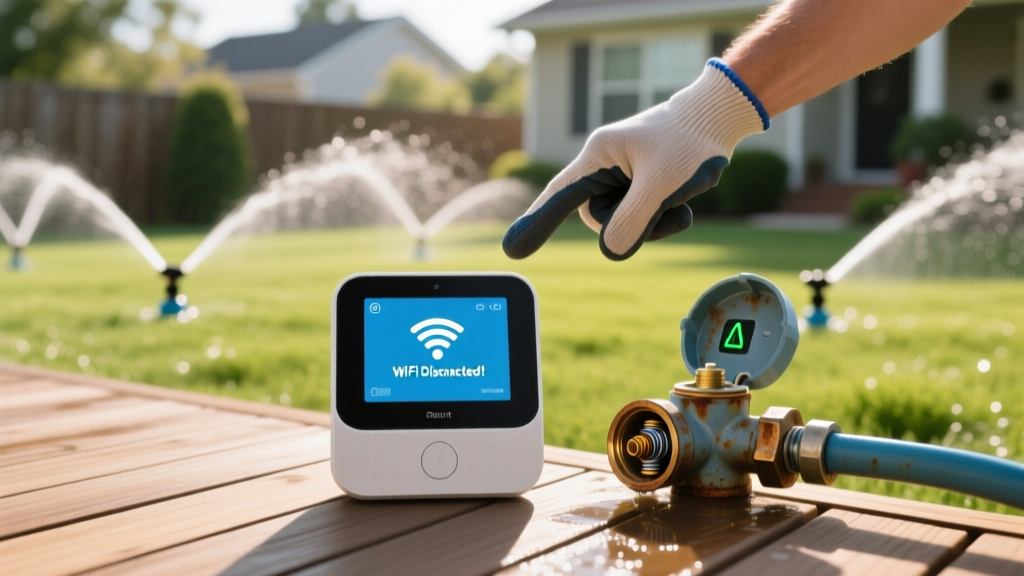
Troubleshoot Smart Sprinklers: Fix Wi-Fi and Valve Issues Fast
Sarah ChenPublished
Introduction to Smart Irrigation Diagnostics
Upgrading to a smart irrigation system is one of the most effective ways to bridge energy-efficient landscaping with modern smart home integration. Controllers like the Rachio 3, Orbit B-hyve, and Rain Bird ST8I-2.0 utilize hyper-local weather data and evapotranspiration (ET) algorithms to water your lawn only when necessary. According to EPA WaterSense, weather-based smart controllers can reduce outdoor water use by up to 15%, saving the average home nearly 7,600 gallons of water annually.
However, when these systems malfunction, they can quickly turn from water-saving heroes into landscape hazards. A stuck valve can drown a garden bed in hours, while a Wi-Fi drop can cause the system to revert to a generic, water-wasting baseline schedule. This comprehensive troubleshooting guide will help you diagnose and resolve the most common smart sprinkler system failures, from network connectivity drops to mechanical solenoid issues.
1. Network Connectivity and App Sync Failures
The most frequent complaint among smart irrigation users is the controller repeatedly dropping offline. Because your smart sprinkler relies on cloud-based weather data to make watering decisions, a loss of connection means a loss of intelligence.
The 2.4GHz vs. 5GHz Network Conflict
Most smart irrigation controllers, including the popular Rachio and Orbit models, operate exclusively on the 2.4GHz Wi-Fi band. This frequency is chosen for its superior range and ability to penetrate exterior walls and concrete block enclosures where irrigation controllers are often mounted. If your router broadcasts a combined SSID (the same network name for both 2.4GHz and 5GHz), the controller may attempt to connect to the weaker 5GHz signal and fail.
- Solution: Access your router settings and separate the bands into two distinct SSIDs (e.g., 'HomeNetwork_2G' and 'HomeNetwork_5G'). Connect your controller exclusively to the 2.4GHz network.
- Signal Boosting: If the controller is located in a basement or a detached shed, the 2.4GHz signal may still be too weak. Install a Wi-Fi extender or a mesh network node within 15 feet of the controller to ensure a stable handshake.
2. Electrical and Solenoid Diagnostics
If your app shows that a zone is 'running' but no water is coming out of the sprinkler heads, the issue lies between the controller and the physical valve. Smart controllers send a 24-volt alternating current (VAC) signal through the common wire and the zone-specific wire to activate the solenoid.
Testing the Transformer and Wiring
Before digging up your valve boxes, you must verify that the controller is outputting the correct voltage. You will need a standard digital multimeter for this test.
- Set your multimeter to measure AC Voltage (VAC).
- Locate the master terminal block inside your controller.
- Place one probe on the 'Common' (COM) terminal and the other on the 'Zone 1' terminal while the zone is manually activated via the app.
- You should read between 24V and 28V AC. If the reading is zero or significantly lower, the internal transformer or the controller's motherboard has failed.
Testing Solenoid Resistance (Ohms)
If the controller is sending 24V but the valve won't open, the solenoid coil may be burnt out. According to research published by Penn State Extension, proper electrical maintenance is vital for automated irrigation efficiency. To test the solenoid:
- Turn off the controller and disconnect the zone wires.
- Set the multimeter to measure Resistance (Ohms/Ω).
- Place the probes on the two wires of the suspected solenoid.
- A healthy solenoid will read between 20 and 60 ohms. A reading of 'OL' (Open Loop) or infinity means the internal copper wire is broken, and the solenoid must be replaced (typically a $15 to $25 part).
3. Mechanical Valve Failures: Stuck Open or Closed
When electrical tests pass but the zone still misbehaves, the problem is mechanical. The valve diaphragm is a flexible rubber membrane that regulates water flow. Over time, municipal water supplies introduce grit, sand, and mineral scale into the irrigation lines.
Diagnosing a Zone That Won't Shut Off
If a zone continues to run even after the controller is powered down, debris is preventing the diaphragm from seating properly.
Pro Tip: Never use Teflon tape on irrigation valve solenoid threads. The tape can shred and enter the valve body, clogging the tiny exhaust ports in the solenoid and causing the valve to stick open. Use liquid thread sealant instead.
The Valve Tear-Down Procedure
- Locate the valve box and manually turn the bleed screw counter-clockwise. If the water stops, the issue is electrical. If water continues to flow, proceed to step 2.
- Shut off the main water supply to the irrigation system.
- Remove the 4 to 6 bonnet screws on top of the valve (common on Hunter PGV and Rain Bird TAS-75 models).
- Lift the bonnet and inspect the rubber diaphragm. Look for micro-tears, warping, or trapped pebbles.
- Flush the valve body with a garden hose to clear the seat, replace the diaphragm if damaged, and reassemble. Torque the bonnet screws in a star pattern to ensure an even seal.
4. Sensor Overrides and Skip-Cycle Errors
Smart controllers integrate with peripheral sensors to prevent overwatering. However, a miscalibrated sensor can cause your lawn to dry out by falsely overriding the watering schedule.
- Rain Sensors: Traditional rain sensors use cork discs that expand when wet. If the sensor is mounted under a tree canopy or an eave, it may stay dry during a storm, failing to skip the cycle. Conversely, if debris traps moisture in the cup, it may block watering for weeks. Clean the sensor housing monthly.
- Soil Moisture Sensors: Probe-based sensors can become disconnected from the soil matrix during freeze-thaw cycles. Ensure the probe is buried at the root zone depth (typically 4 to 6 inches for turfgrass) and that the soil is firmly packed around it to ensure accurate capacitance readings.
Diagnostic Table: Symptom vs. Root Cause
Use this quick-reference chart to narrow down your troubleshooting steps based on the physical symptoms you observe in your landscape.
| Symptom | Probable Root Cause | Diagnostic Step | Estimated Fix Cost |
|---|---|---|---|
| Zone runs continuously, won't stop | Debris in valve diaphragm or stuck bleed screw | Manual bleed test; tear down and clean valve body | $15 - $30 |
| App shows 'Watering', heads stay down | Blown solenoid or severed zone wire | Multimeter Ohms test at controller and valve | $20 - $50 |
| Controller repeatedly drops offline | 2.4GHz/5GHz SSID conflict or weak signal | Separate router bands; install Wi-Fi extender | $0 - $40 |
| System skips watering despite dry soil | Faulty rain sensor or localized freeze sensor trigger | Bypass sensor terminals with a jumper wire | $25 - $60 |
| Low pressure across all zones | Clogged master valve filter or failing pump relay | Inspect Y-strainer filter; test pump start relay voltage | $30 - $80 |
Preventative Maintenance for Smart Controllers
Troubleshooting is reactive; maintenance is proactive. To ensure your smart home integration continues to support an energy-efficient landscape, implement a bi-annual maintenance schedule. In the spring, flush all valve boxes, inspect wire nuts for corrosion, and apply dielectric grease to solenoid connections to prevent moisture intrusion. In the fall, ensure your smart controller's 'Winterize' or 'Rain Delay' feature is properly configured to prevent freeze damage to above-ground pipes and backflow preventers.
By understanding the intersection of network diagnostics, basic electrical theory, and hydraulic mechanics, you can maintain a lush, garden-to-table ready landscape without wasting a single drop of water or relying on expensive service calls.
