Home & Garden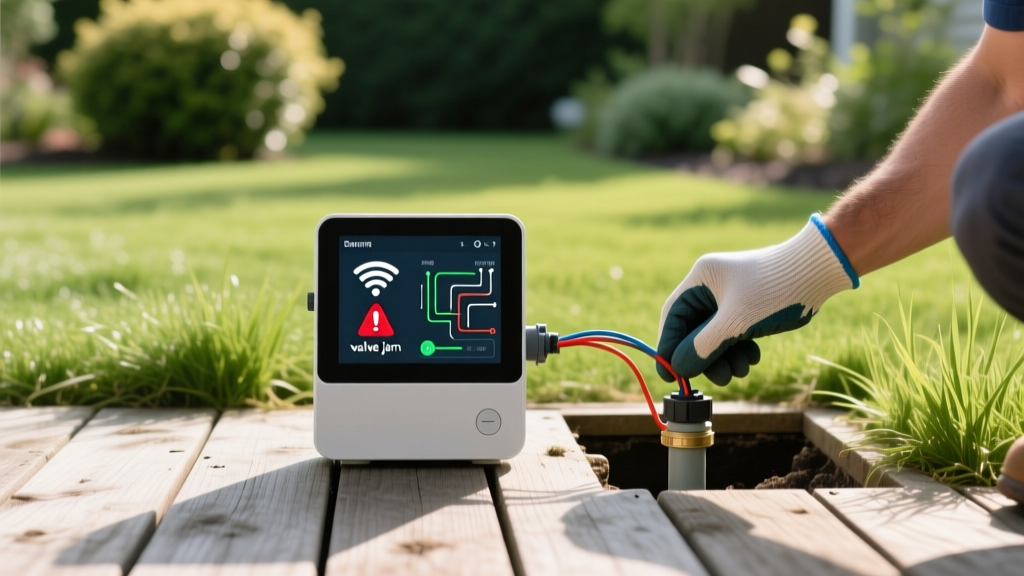
Troubleshooting Smart Irrigation: Wi-Fi, Wiring, and Valve Issues
Mike RodriguezPublished
The Rise of Smart Irrigation and the Reality of Glitches
Upgrading to a smart irrigation controller is one of the most impactful home and garden improvements you can make. Devices like the Rachio 3, Orbit B-hyve, and Hunter Hydrawise bridge the gap between indoor smart home ecosystems and outdoor landscaping, adjusting watering schedules based on real-time hyper-local weather data. However, when these systems fail, the result can be a waterlogged lawn, a dried-out garden-to-table vegetable patch, or an unexpectedly high water bill.
Troubleshooting a smart sprinkler system requires a methodical approach. Unlike traditional timers, smart controllers rely on a delicate balance of Wi-Fi connectivity, low-voltage electrical wiring, and mechanical hydraulic valves. In this comprehensive diagnostic guide, we will break down the most common smart irrigation failures, provide step-by-step solutions, and help you determine when a DIY fix is appropriate versus when to call an irrigation professional.
Essential Diagnostic Tools for the DIY Landscaper
Before heading out to the sprinkler manifold or logging into your router, gather the following tools to ensure an efficient troubleshooting process:
- Digital Multimeter: Essential for testing AC voltage (VAC) and continuity (Ohms).
- Wire Strippers and Cutters: For repairing field wiring.
- Gel-Filled Wire Connectors: Also known as grease caps, these are mandatory for waterproofing underground splices.
- Flathead and Phillips Screwdrivers: For opening valve boxes and controller terminals.
- Teflon Tape: For sealing threaded PVC connections at the valve manifold.
Problem 1: The Controller Shows as 'Offline' in the App
The Diagnosis: Wi-Fi Band and Signal Interference
The most frequent complaint among smart irrigation users is the dreaded 'offline' status in the mobile app. The root cause is almost always related to Wi-Fi frequency bands or signal degradation. Most smart sprinkler controllers are equipped with 2.4 GHz Wi-Fi chips because this frequency penetrates exterior walls and reaches outdoor locations much better than the faster 5 GHz band. If your home router uses a unified SSID (network name) for both bands, the controller may repeatedly attempt to connect to the 5 GHz band and fail.
Additionally, outdoor walls, brick facades, and metal siding can severely attenuate the signal. If your controller is mounted in a garage or on the side of your house, the signal strength may simply be too weak to maintain a stable handshake with the router.
The Solution: Network Configuration and Hardware Extenders
First, access your router's admin settings and separate your 2.4 GHz and 5 GHz networks by giving them distinct names (e.g., 'HomeNetwork_2G' and 'HomeNetwork_5G'). Force the smart controller to connect exclusively to the 2.4 GHz network. If the network separation does not resolve the issue, the problem is physical signal degradation.
To fix this, install a weatherproof outdoor Wi-Fi extender or a mesh network node near the controller. A standard indoor mesh node placed in a window adjacent to the controller often provides enough signal boost to maintain a reliable connection. Ensure that 'AP Isolation' or 'Guest Network' features are disabled on your router, as these settings prevent the controller from communicating with external weather servers.
Problem 2: A Specific Zone Will Not Turn On
The Diagnosis: Electrical Faults vs. Mechanical Failures
If your app indicates that Zone 3 is actively watering, but the sprinkler heads remain dry and silent, you have a breakdown in either the electrical signal or the mechanical valve. Smart controllers send a 24 to 28 VAC (Volts Alternating Current) signal through a 'common' wire and a specific 'zone' wire to activate the solenoid atop the irrigation valve.
To diagnose the issue, go to your smart controller's wiring terminal. Set your digital multimeter to AC Voltage (VAC). Place one probe on the 'C' (Common) terminal and the other on the terminal for the non-functioning zone. Initiate a manual test run from the app. If the multimeter reads between 24 and 28 VAC, the controller is functioning perfectly, and the fault lies in the field (a cut wire or a dead solenoid). If the reading is zero, the controller's internal terminal or transformer is faulty.
The Solution: Field Wiring and Solenoid Replacement
If the controller is sending the correct voltage, head to the valve manifold in your yard. Locate the valve for the problematic zone. First, check the manual bleed screw; if it is loose, tighten it. Next, test the solenoid. Disconnect the two wires connecting the solenoid to the field wiring. Set your multimeter to Ohms (resistance) and touch the probes to the two wires leading into the ground. A healthy solenoid typically reads between 20 and 60 Ohms. If it reads 'OL' (Open Line) or infinite resistance, the solenoid is burnt out and must be replaced. Replacement solenoids cost between $15 and $25 and simply twist off and on.
If the solenoid tests fine, you likely have a severed common wire caused by recent landscaping, aeration, or rodent activity. You will need to trace the wire path, excavate the break, and splice the copper wires using waterproof gel-filled connectors. Never use standard indoor wire nuts underground, as moisture will rapidly corrode the copper and cause the zone to fail again.
Problem 3: A Zone Will Not Turn Off (Continuous Running)
The Diagnosis: Hydraulic Debris and Diaphragm Failure
A zone that continues to run even after the app has stopped the schedule is a severe issue that wastes thousands of gallons of water. This is rarely an electrical problem with the smart controller; instead, it is a mechanical failure inside the valve box. The most common culprit is a piece of debris—such as a small pebble, root fragment, or PVC shaving—lodged under the rubber diaphragm inside the valve, preventing it from sealing shut. Another possibility is a torn diaphragm or a broken internal spring.
The Solution: Valve Rebuild and Flushing
Turn off the main water supply to the irrigation system at the backflow preventer. Unscrew the bonnet (the top half of the valve) using a screwdriver or by twisting it off, depending on the model. Carefully remove the spring and the rubber diaphragm. Inspect the diaphragm for micro-tears or warping. Flush the valve body with a garden hose to dislodge any trapped debris. Reassemble the valve with a new diaphragm if the old one shows any signs of wear. Replacement diaphragm kits cost around $10 and are widely available at hardware stores.
Smart Controller Brand Comparison and Common Quirks
Different smart irrigation brands utilize unique hardware architectures, which can lead to brand-specific troubleshooting quirks. Below is a comparison chart to help you identify known issues based on your specific model.
| Brand & Model | Common Wi-Fi Quirk | Valve Compatibility Issue | Average DIY Fix Cost |
|---|---|---|---|
| Rachio 3 | Struggles with WPA3 security protocols; requires WPA2. | Occasionally fails to trigger master valves without a relay. | $30 (Wi-Fi Extender) |
| Orbit B-hyve | Touchscreen can freeze in extreme cold, disabling manual overrides. | Sensitive to voltage drops over long wire runs (>800 ft). | $15 (Wire Splicing) |
| Hunter Hydrawise | Requires strong 2.4GHz; antenna is internal and weak through brick. | Proprietary terminal blocks can be difficult to wire for beginners. | $45 (External Antenna) |
Cost Analysis: DIY Repair vs. Professional Intervention
Understanding when to call a professional can save you time and prevent costly damage to your landscaping. A standard service call from a licensed irrigation technician typically ranges from $125 to $200 just for the diagnostic visit, with hourly labor rates averaging $75 to $125 thereafter.
If your issue involves simple Wi-Fi configuration, replacing a $20 solenoid, or cleaning a valve diaphragm, the DIY route is highly recommended and will cost you less than $50 in parts. However, if your multimeter indicates a short circuit that is tripping the controller's internal breaker, or if you suspect a massive leak in the mainline PVC piping beneath your hardscaping, it is time to hire a professional. They possess specialized equipment like acoustic leak detectors and wire locators that can pinpoint underground faults without destroying your garden beds or patio.
Expert Guidelines for Water Efficiency and Maintenance
Maintaining your smart irrigation system is not just about convenience; it is a critical component of modern, energy-efficient landscaping and water conservation.
According to the EPA's WaterSense program, a properly maintained smart irrigation system equipped with a Weather-Based Irrigation Controller (WBIC) can save the average home nearly 7,600 gallons of water annually. Furthermore, the Utah State University Extension emphasizes that seasonal auditing of sprinkler heads and smart sensor calibration is vital, as 'set it and forget it' mentalities often lead to overwatering during unseasonably cool micro-climate shifts.
To align with these expert guidelines, schedule a bi-annual 'smart audit.' In the spring, verify that your controller's local weather station API is pulling accurate data and that your rain/freeze sensors are free of leaf litter. In the autumn, utilize your smart controller's manual blow-out mode to assist in winterizing your pipes, ensuring that no residual water remains to freeze and crack your expensive smart valves. By treating your smart irrigation system as a dynamic, integrated component of your home's infrastructure rather than a standalone utility, you guarantee a lush, healthy landscape and a seamless bridge between your indoor smart home and your outdoor sanctuary.
