Home & Garden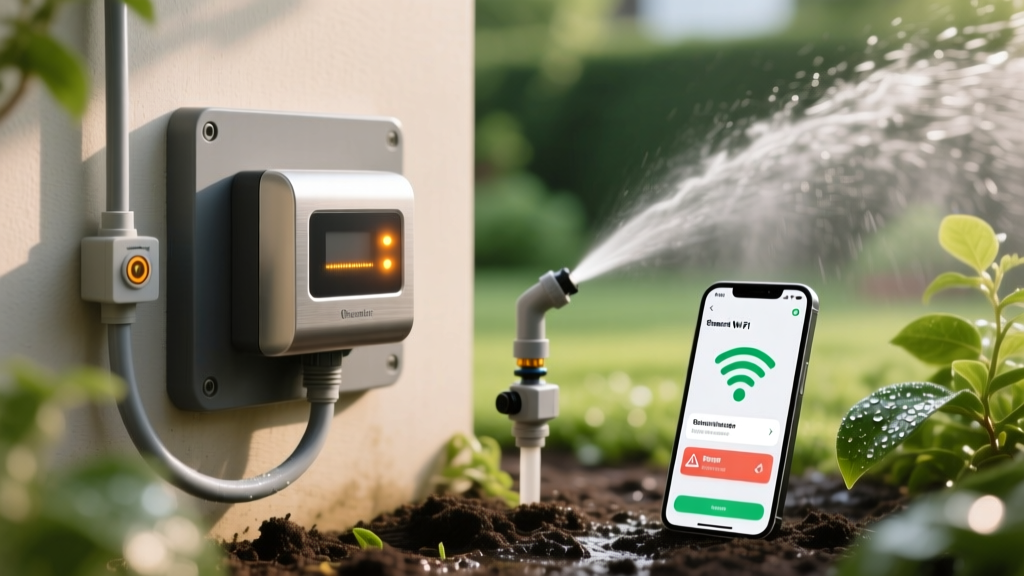
How to Troubleshoot Smart Irrigation Wi-Fi and Flow Errors
Sarah ChenPublished
Introduction to Smart Irrigation Glitches
Upgrading to a smart irrigation system is one of the most effective ways to bridge the gap between modern home automation and energy-efficient landscaping. Devices like the Rachio 3, Hunter Hydrawise, and Orbit B-hyve utilize hyper-local weather data to optimize watering schedules, potentially saving homeowners thousands of gallons of water annually. In fact, according to EPA WaterSense, Weather-Based Irrigation Controllers (WBICs) can reduce outdoor water use by up to 20 percent compared to traditional clock-based timers. However, when these sophisticated devices lose their Wi-Fi connection, misread flow sensors, or incorrectly skip watering schedules, your carefully curated garden-to-table vegetable beds and pristine turf can quickly suffer from drought stress or overwatering.
Troubleshooting a smart sprinkler controller requires a systematic approach to problem diagnosis. Unlike legacy mechanical timers, smart controllers rely on a delicate ecosystem of 2.4 GHz wireless networks, 24-volt alternating current (VAC) wiring, cloud-based weather intelligence, and physical flow meters. When a zone fails to activate or the app displays a critical error, the root cause is rarely the controller itself. Instead, it usually stems from network interference, degraded solenoid wiring, or miscalibrated flow sensors. This comprehensive diagnostic guide will walk you through the exact steps to identify and resolve the most common smart irrigation failures, complete with specific measurements, product recommendations, and cost estimates.
Diagnosing Wi-Fi and Connectivity Dropouts
The most frequent complaint among smart irrigation users is the dreaded 'Offline' status in the mobile app. Because smart controllers are often installed in garages, basements, or exterior utility boxes, they are highly susceptible to wireless signal degradation. Furthermore, nearly all smart irrigation controllers—including the Rachio 3 and Orbit B-hyve—operate exclusively on the 2.4 GHz Wi-Fi band. They cannot connect to 5 GHz networks.
Step 1: Verify the 2.4 GHz Band and SSID Configuration
Modern mesh routers (like Eero, Nest Wi-Fi, or TP-Link Deco) often combine the 2.4 GHz and 5 GHz bands under a single network name (SSID). While this is convenient for smartphones, it frequently causes smart home devices to fail during the handshake process. If your controller is failing to connect or dropping offline intermittently, log into your router's admin panel and temporarily split the bands, or create a dedicated 2.4 GHz IoT (Internet of Things) network. Ensure the security protocol is set to WPA2-PSK (AES), as many smart controllers do not support the newer WPA3 standard or enterprise-level security.
Step 2: Evaluate Signal Strength and Deploy Extenders
For a stable connection, your smart controller requires a minimum signal strength of -65 dBm. You can test this by standing next to the controller with your smartphone connected to the 2.4 GHz band and using a free Wi-Fi analyzer app. If the signal is weaker than -70 dBm, the controller will experience packet loss, leading to skipped schedules and delayed app updates.
- Diagnostic Action: If the signal is weak, do not move the router. Instead, install a weatherproof outdoor Wi-Fi extender or a dedicated mesh node near the controller.
- Product Recommendation: The TP-Link RE315 or a Netgear EX3700 (Cost: $30 to $50) are excellent, budget-friendly options for bridging the gap between your indoor router and an outdoor irrigation box.
- Timing: Reboot the router, plug in the extender, and press the 'Connect' button on your smart controller. The LED indicator should turn solid green or blue within 60 seconds.
Troubleshooting Flow Sensor and Pressure Errors
Many advanced setups incorporate a physical flow meter, such as the Hunter FS-150 or the Rachio Flow Meter, which measures the exact gallons per minute (GPM) passing through the mainline. When the controller detects a discrepancy between the expected GPM and the actual GPM, it triggers an alarm and shuts down the zone to prevent property damage. According to Hunter Industries Support, flow sensor errors are the leading cause of unnecessary system lockouts.
Identifying the 'Low Flow' or 'High Flow' Alarm
A 'High Flow' error almost always indicates a physical break in the lateral piping, a blown sprinkler head, or a leaking valve diaphragm. Conversely, a 'Low Flow' error suggests a clogged nozzle, a stuck valve solenoid, or a malfunctioning master valve. Before replacing any hardware, you must verify the physical state of the zone.
| Error Type | Potential Cause | Diagnostic Step | Estimated Fix Cost |
|---|---|---|---|
| High Flow Alarm | Broken PVC pipe or blown head | Inspect zone for pooling water or sinkholes | $15 - $150 (Pipe repair kit) |
| Low Flow Alarm | Clogged nozzle or filter | Remove and clean sprinkler head filters | $5 - $20 (Replacement nozzles) |
| No Flow Reading | Severed flow sensor wire | Check 2-wire connection at the controller | $10 (Waterproof wire nuts) |
| Erratic GPM Spikes | Debris in the flow meter paddle | Flush the mainline and clean the sensor | $0 (Manual flushing) |
Pro Tip: If you recently changed the sprinkler nozzles in a zone (e.g., swapping to high-efficiency rotary nozzles), you must manually update the expected GPM in your smart controller's app. If the app expects 15 GPM but the new nozzles only draw 5 GPM, the system will falsely trigger a Low Flow error.
Fixing Skipped Schedules and Weather Intelligence Glitches
Smart controllers utilize 'Weather Intelligence' to automatically skip watering during freeze warnings, high winds, or recent rainfall. However, if your lawn is drying out but the app claims it rained yesterday, your controller is likely pulling data from a faulty Personal Weather Station (PWS).
Calibrating Local Weather Stations
Platforms like Rachio and Hunter Hydrawise rely on networks of PWS units (often hosted by hobbyists on platforms like Weather Underground). If a neighbor's PWS is placed under a dense tree canopy or near a heat-reflecting window, it will report inaccurate rainfall or temperature data to the cloud. To diagnose this, open your app's weather settings and view the active weather station. If it is a PWS located more than two miles away, switch your data source to a verified local airport weather station or a professional municipal sensor. This simple software toggle resolves 90 percent of unexplained skipped schedules without requiring any physical hardware adjustments.
Hardware and Wiring Diagnostics: Testing Solenoids
If the app shows a zone is running, but no water is spraying, and there are no Wi-Fi or flow errors, the issue lies in the physical wiring or the valve solenoid. Smart controllers send a 24 VAC signal through the common wire and the zone wire to activate the solenoid. You will need a digital multimeter (such as the Fluke 117, approx. $200, or a basic $15 hardware store model) to perform this diagnosis.
Step-by-Step Solenoid Testing
- Test at the Controller: Set your multimeter to AC Voltage (V~). With the zone manually activated via the app, place the probes on the 'Common' terminal and the specific 'Zone' terminal. You should read between 22 and 26 VAC. If you read 0 VAC, the controller's internal relay is damaged and the unit must be replaced.
- Test at the Valve Box: If the controller is outputting 24 VAC, go to the valve box in the yard. Carefully expose the wire nuts connecting the controller wires to the solenoid. Test the voltage here. If you have 24 VAC at the valve box but the solenoid doesn't click, the solenoid is burned out and needs a $15 replacement.
- Test Solenoid Resistance: Turn off the irrigation breaker. Disconnect the solenoid wires and set your multimeter to Ohms (Resistance). Place a probe on each solenoid wire. A healthy solenoid will read between 20 and 60 ohms. If it reads 'OL' (Open Line) or infinity, the internal copper coil is broken. If it reads near 0 ohms, there is a short circuit that could eventually damage your smart controller's motherboard.
Preventative Maintenance Checklist
To prevent future troubleshooting sessions, implement a bi-annual maintenance routine. Before the spring growing season, flush your drip irrigation lines to prevent emitter clogs that trigger low-flow alarms. In the late fall, ensure your smart controller's 'Winterize' or 'Rain Delay' feature is activated to prevent frozen pipes. According to Rachio Support, keeping the controller's firmware updated and ensuring the outdoor enclosure remains sealed against moisture will drastically extend the lifespan of the internal logic board. By mastering these diagnostic steps, you ensure your smart home integration continues to provide a lush, energy-efficient landscape year-round.
