Home & Garden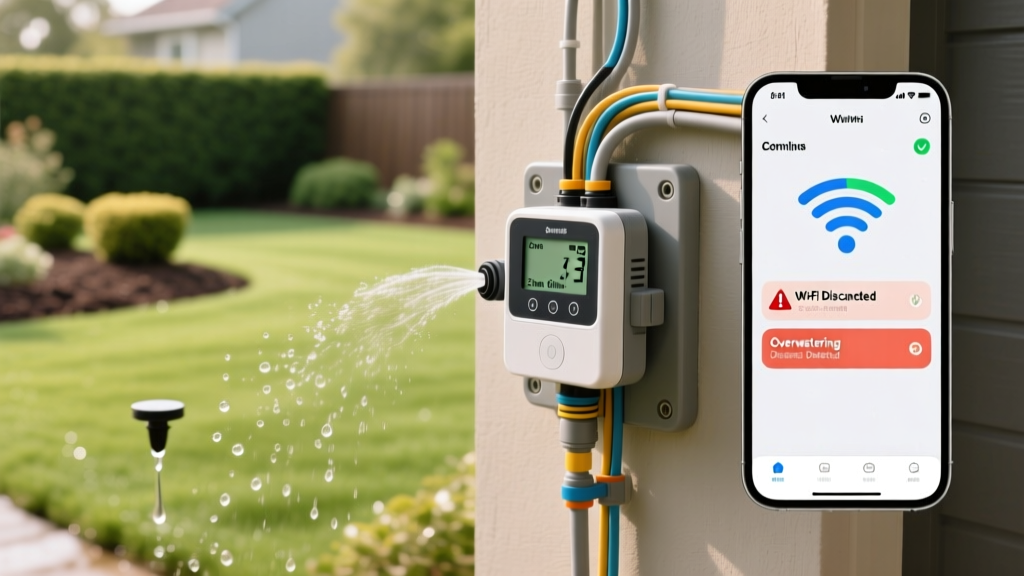
Troubleshooting Smart Sprinkler Controllers: Fix Wi-Fi & Zone Errors
Anna KowalskiPublished
Introduction to Smart Irrigation Troubleshooting
Upgrading to a smart sprinkler controller like the Rachio 3, Orbit B-hyve, or Hunter Hydrawise is one of the most effective ways to bridge outdoor landscaping with modern smart home integration. These devices optimize watering schedules based on real-time weather data, saving water and keeping your lawn healthy. However, merging outdoor irrigation with indoor Wi-Fi networks and complex solenoid wiring often introduces a unique set of technical headaches. When your system fails to connect, skips zones, or overwaters your garden beds, diagnosing the root cause requires a systematic approach.
According to the EPA WaterSense program, smart irrigation controllers can save the average home nearly 7,600 gallons of water annually. But to achieve these savings, the controller must maintain a stable connection and accurately read local environmental data.
In this comprehensive troubleshooting guide, we will walk through the most common smart irrigation failures, from Wi-Fi connectivity dropouts to underground wiring faults, providing actionable steps, tool recommendations, and cost estimates to get your system back online.
Diagnosing Wi-Fi and Connectivity Dropouts
The most frequent complaint among smart irrigation users is the controller repeatedly losing its Wi-Fi connection. This usually manifests as an 'Offline' status in your mobile app, preventing weather intelligence features from updating and stopping remote manual overrides.
Checking Signal Strength and Router Bands
Most smart sprinkler controllers, including the popular Rachio 3 and Orbit B-hyve, are equipped with Wi-Fi chips that operate exclusively on the 2.4GHz frequency band. Modern mesh routers (like Eero, Orbi, or TP-Link Deco) often combine 2.4GHz and 5GHz bands under a single network name (SSID). If your router attempts to steer the controller to the 5GHz band, the connection will fail or constantly drop.
- The Fix: Access your router's admin settings and create a dedicated 2.4GHz IoT (Internet of Things) network. Connect your controller exclusively to this network.
- Signal Extension: Outdoor controller enclosures and exterior walls severely degrade Wi-Fi signals. If your controller is mounted in a garage or on an exterior brick wall, install a weather-resistant Wi-Fi extender or a mesh node nearby. A standard TP-Link RE315 extender costs around $30 and can stabilize the connection.
Resetting and Re-pairing the Controller
If the network settings are correct but the device remains offline, perform a hard factory reset. For most models, this involves holding the 'Zone' and 'Rain Delay' buttons simultaneously for 10 to 15 seconds until the LED ring flashes. Re-pair the device using the app, ensuring your smartphone is connected to the same 2.4GHz network during the setup process.
Troubleshooting Zone and Wiring Faults
When your app shows a zone is running, but no water is coming out of the sprinkler heads, you are likely dealing with a wiring fault, a failed solenoid, or a master valve issue. The Hunter Industries Troubleshooting Guide emphasizes that electrical continuity is the most common point of failure in outdoor irrigation systems.
Using a Multimeter to Test Solenoids
To diagnose a dead zone, you will need a digital multimeter (such as the Klein Tools MM400, which costs approximately $45). Set the multimeter to measure resistance (Ohms/Ω).
- Test at the Controller: Turn off the irrigation breaker. Disconnect the common wire and the specific zone wire from the controller terminal. Touch the multimeter probes to the exposed wire ends. A healthy solenoid should read between 20 and 60 ohms. A reading near 0 indicates a short circuit, while a reading of 'OL' (Open Loop) indicates a broken wire or a burnt-out solenoid coil.
- Test at the Valve Box: If the controller test shows an open circuit, dig up the valve box for that specific zone. Locate the solenoid on top of the valve, cut the wires, and test the solenoid directly. If the solenoid reads 20-60 ohms here, the fault is a broken underground wire between the controller and the valve box.
Fixing the Master Valve or Pump Start Relay
If none of your zones are running, but the controller shows they are active, the issue is likely the Master Valve (MV) or Pump Start Relay. Check the MV terminal in the controller for loose connections. If you are using a pump start relay, ensure the 120V/240V power supply to the relay is tripped at the main electrical panel. Replacing a faulty irrigation relay switch typically costs between $40 and $80 and requires basic electrical splicing.
Correcting Overwatering and Weather Intelligence Errors
Smart controllers use Evapotranspiration (ET) data to adjust watering schedules. If your system is watering during a rainstorm or leaving your soil completely dry during a heatwave, the Weather Intelligence parameters are miscalibrated.
Calibrating Local Weather Stations
By default, controllers pull weather data from the nearest airport weather station, which can be miles away from your specific microclimate. Open your app settings and switch the weather data source to a localized Personal Weather Station (PWS) network like Weather Underground. This ensures hyper-local rainfall and temperature tracking.
Adjusting Soil Type and Shade Parameters
Overwatering and runoff often occur because the user failed to configure the soil type. Clay soils absorb water slowly and require a 'Cycle and Soak' method to prevent runoff. Sandy soils drain quickly and require shorter, more frequent watering. Ensure each zone in your app is accurately mapped to its specific soil type, root depth, and sun exposure (full sun vs. heavy shade).
Comparison Table: Common Smart Controller Error Codes
Below is a diagnostic chart for the most frequent error codes encountered across major smart irrigation brands.
| Controller Model | Error Code / Symptom | Diagnosis | Solution |
|---|---|---|---|
| Rachio 3 | Blinking Yellow LED | Wi-Fi authentication failure | Verify 2.4GHz password; move router closer. |
| Rachio 3 | Blinking Magenta LED | DNS or Cloud server timeout | Restart home router; check ISP outages. |
| Orbit B-hyve | 'Wiring Error' Alert | Short circuit in zone solenoid | Test ohms at valve box; replace solenoid ($12). |
| Hunter Hydrawise | 'Master Valve Fault' | MV wire disconnected or relay failed | Check MV terminal screw; test relay voltage. |
| All Models | Zone runs but no water | Manual bleed valve left open | Tighten the solenoid or manual bleed screw on top of the valve. |
Preventative Seasonal Maintenance
To prevent troubleshooting sessions before they begin, integrate your smart controller into your seasonal home maintenance checklist. Before winter sets in, you must winterize your system. While the smart controller can be set to 'Standby' or 'Off' mode via the app, this does not remove water from the pipes. You must hire a professional to blow out the lines with an air compressor (typically costing $75 to $150 depending on zone count) to prevent frozen pipes from cracking your backflow preventer and destroying the controller's internal wiring.
Additionally, inspect the physical enclosure twice a year. Ensure the rubber gasket on the controller door is free of debris and apply a thin layer of dielectric silicone grease to the terminal wire connections to prevent outdoor moisture from causing galvanic corrosion. By combining proper network configuration, accurate environmental calibration, and routine electrical testing, your smart irrigation system will operate flawlessly, protecting both your landscape investment and your water bill.
